How Custom Web Applications Reduce Operational Costs
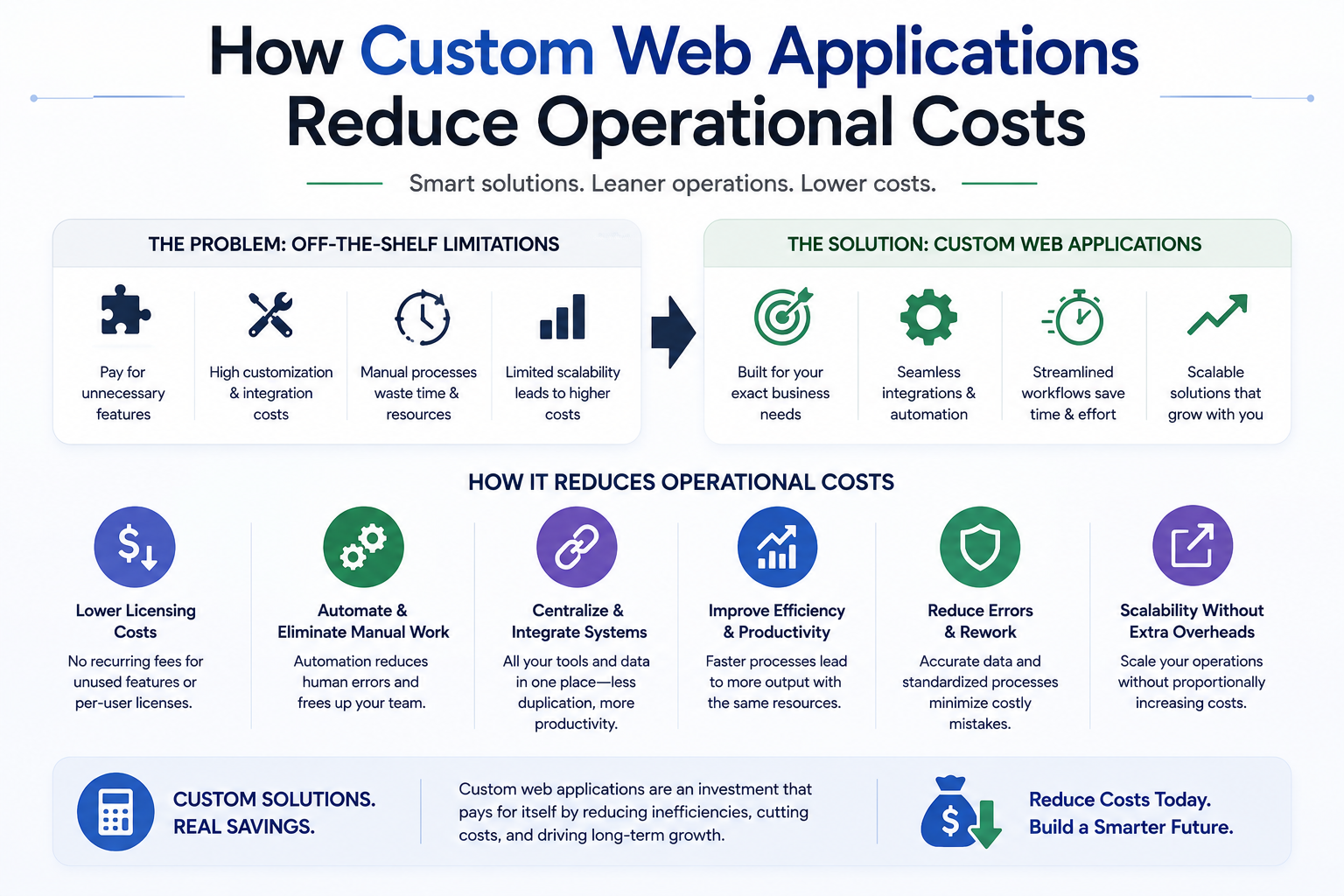
Custom web applications reduce operating costs by replacing repetitive administration, disconnected spreadsheets, duplicate data entry, and fragile manual processes with controlled workflows. This guide explains how to identify worthwhile automation opportunities, design the right architecture, calculate return on investment, and deploy custom software without creating another expensive system.
How Custom Web Application Development Reduces Operational Costs
Many companies do not have a staffing problem. They have a process-design problem.
Employees spend hours copying customer details between systems, preparing reports from spreadsheets, requesting approvals through email, checking payment status manually, and correcting data that should have been entered once. As transaction volume grows, the company adds more people to support the same inefficient workflow.
Custom web application development addresses this cost structure by turning repeatable operational work into controlled software processes. A well-designed application can connect existing systems, enforce business rules, automate routine actions, and give decision-makers accurate information without relying on manual reconciliation.
The goal is not to replace every employee or build software for its own sake. The goal is to remove work that does not require human judgement, reduce expensive errors, shorten operational cycles, and allow teams to focus on sales, customer service, analysis, and complex decisions.
Table of Contents
1. Where operational costs actually come from
2. How custom web applications reduce manual work
3. When custom software is more economical than SaaS
4. Architecture for secure and scalable business automation
5. How to calculate ROI before development
6. A phased implementation plan
7. Common reasons automation projects fail
1. Where Operational Costs Actually Come From
Operational cost is not limited to salaries. A company also pays for delay, rework, duplicate software, inaccurate data, missed follow-ups, slow approvals, weak reporting, and preventable customer support.
These costs are often distributed across departments, which makes them difficult to see in standard financial reports.
Consider a typical order-management process:
Customer places order
        |
        v
Sales copies details into spreadsheet
        |
        v
Operations checks stock in another system
        |
        v
Finance verifies payment manually
        |
        v
Manager approves fulfilment by email
        |
        v
Warehouse receives a copied document
        |
        v
Customer receives a manually written update
Each handoff creates several risks:
- Data may be entered incorrectly.
- Work may wait in an employee's inbox.
- Different teams may use different versions of the same information.
- Customers may contact support because they cannot see progress.
- Management may receive reports several days after events occurred.
- New employees may require extensive training to understand informal procedures.
The five main categories of process cost
| Cost category | Typical cause | Business effect | |
|---|---|---|---|
| Labour cost | Repetitive administration and data entry | More staff required as volume increases | |
| Error cost | Manual calculations and inconsistent data | Refunds, rework, delays, and customer complaints | |
| Delay cost | Email approvals and disconnected teams | Slower fulfilment, billing, and revenue collection | |
| Software cost | Multiple overlapping subscriptions | High monthly expenditure and fragmented data | |
| Management cost | Manual reporting and weak visibility | Slow decisions and poor resource planning |
A useful automation audit follows work from the original trigger to the final business outcome. It records every person, system, document, approval, delay, and exception involved.
Questions to ask during a process audit
- How often does this process occur?
- How many employees touch each transaction?
- How much time does each step require?
- Which data is entered more than once?
- Which decisions follow fixed rules?
- Where do errors occur most often?
- Which delays affect customers or cash flow?
- Which reports require manual preparation?
- Which systems already expose an API?
- Which exceptions require genuine human judgement?
The best automation candidates are usually frequent, rule-based, measurable, and connected to a clear business outcome.
Building a Web or Mobile Application?
From cloud backends to React Native & Web apps, we deliver scalable digital products fast.
2. How Custom Web Application Development Reduces Manual Work
A custom application converts an informal process into an explicit workflow. It defines what information is required, who can perform each action, what rules apply, and what should happen next.
This creates cost savings in several areas.
One source of operational data
Companies often maintain customer, order, project, or inventory data in several places. A custom application can provide one operational interface while synchronising with the systems that must remain authoritative.
For example:
Website form
     |
     v
Custom application
     |-- creates CRM lead
     |-- checks service eligibility
     |-- assigns account owner
     |-- sends confirmation
     |-- starts onboarding tasks
     |-- records analytics event
The employee no longer needs to copy the same details into five tools. The application validates the data once and sends it to the correct systems through REST APIs, GraphQL, secure webhooks, or scheduled jobs.
Automated task routing
Workflow automation can assign work based on rules such as:
- Customer location
- Product category
- Order value
- Employee workload
- Contract type
- Stock availability
- Service-level agreement
- Risk score
- Required approval level
A lead from Canada can be assigned to the correct regional sales representative. A refund above an approved threshold can be routed to a finance manager. A support request containing a billing issue can enter a specialist queue automatically.
This reduces coordination time while making accountability easier to measure.
Faster approvals
Email-based approvals are difficult to track. Requests become buried, supporting information is incomplete, and nobody knows which stage is causing the delay.
A custom approval workflow can include:
1. Required fields and documents
2. Approval thresholds
3. Role-based routing
4. Deadline reminders
5. Escalation rules
6. Complete audit history
7. Approval or rejection reasons
8. Automatic downstream actions
Once approved, the application can create an invoice, notify a supplier, update an ERP, schedule fulfilment, or generate a contract without further data entry.
Automatic document generation
Businesses regularly create quotations, invoices, proposals, certificates, reports, labels, contracts, and onboarding documents from structured information.
A custom application can generate these files using controlled templates and verified data. This reduces formatting work and prevents employees from using outdated documents.
Approved customer record
        |
        v
Template engine
        |-- inserts customer data
        |-- applies pricing rules
        |-- adds approved legal terms
        |-- creates PDF
        |-- stores version
        |-- sends secure link
Self-service for customers and partners
A portal can allow customers to:
- Check order status
- Download invoices
- Update account information
- Upload documents
- Reschedule appointments
- Review project progress
- Submit support requests
- Manage subscriptions
- Access reports
Every successful self-service action can reduce calls, emails, and manual updates. It also improves customer experience because information is available without waiting for office hours.
Real-time operational reporting
Manual reporting often requires employees to combine spreadsheets from sales, finance, operations, and customer support. By the time the report is completed, some information is already outdated.
A custom web application can calculate operational metrics directly from live or synchronised data:
- Orders waiting for approval
- Average fulfilment time
- Revenue awaiting invoicing
- Customer onboarding progress
- Stock risk by product
- Support requests outside the service target
- Sales conversion by source
- Staff workload by team
The result is not only faster reporting. It also reduces the cost of decisions made with incomplete information.
3. Custom Software vs SaaS: Which Reduces Costs?
SaaS development and custom software are not opposing choices in every case. Most companies should use standard SaaS products for standard business needs and custom applications for processes that create competitive or operational value.
Email, payroll, video meetings, accounting, and basic file storage rarely need to be rebuilt. A specialised pricing engine, distributor portal, field-service platform, or automated compliance workflow may justify custom development.
Comparison table
| Factor | Packaged SaaS | Custom web application | |
|---|---|---|---|
| Initial cost | Usually lower | Usually higher | |
| Deployment speed | Fast for standard use cases | Depends on scope and integrations | |
| Workflow flexibility | Limited to product configuration | Designed around actual business rules | |
| Per-user pricing | Can rise as the team grows | Usually not based on every internal user | |
| Integration control | Depends on available APIs and plans | Can be designed around required systems | |
| Ownership | Vendor controls product direction | Business controls roadmap and data model | |
| Maintenance | Managed mainly by vendor | Requires an engineering plan | |
| Competitive differentiation | Low | Potentially high |
When SaaS is usually the better option
Choose an existing platform when:
- The process is common across most businesses.
- The product already meets at least 80 to 90 percent of essential requirements.
- The remaining gaps do not create significant cost or risk.
- The vendor provides suitable security, compliance, and integrations.
- Fast deployment matters more than custom control.
- Subscription costs remain reasonable as usage grows.
When custom software becomes commercially sensible
Consider a custom application when:
- Employees spend significant time moving data between systems.
- The business has unique pricing, approval, fulfilment, or service logic.
- Per-user SaaS charges become expensive at scale.
- Several subscriptions perform overlapping functions.
- Existing systems cannot provide reliable reporting.
- The company needs a customer, supplier, franchise, or employee portal.
- Manual errors create financial, legal, or customer risk.
- The workflow is central to how the company competes.
The hybrid model
The most practical architecture often combines existing platforms with a custom operational layer.
                        +------------------+
                        | Accounting SaaS  |
                        +---------+--------+
                                  |
+-----------+             +-------v--------+             +-------------+
| CRM SaaS  +-------------> Custom Web App +-------------> Email/SMS   |
+-----------+             +-------+--------+             +-------------+
                                  |
                        +---------v---------+
                        | PostgreSQL / ERP  |
                        +-------------------+
The custom application coordinates the process while specialist platforms continue to handle accounting, communication, payments, or CRM functions.
This can reduce development cost because the business does not rebuild mature capabilities. It also reduces operational cost because employees no longer manage the gaps between those systems manually.
4. Architecture for Secure and Scalable Business Automation
A cost-saving application must remain reliable as users, transactions, and integrations increase. A rushed internal tool can create new costs through downtime, inconsistent data, security issues, and difficult maintenance.
A modern architecture might include a React app or Next.js front end, a typed backend, PostgreSQL, background jobs, API integrations, and role-based authentication.
Employees / Customers / Partners
                |
                v
        React or Next.js App
                |
                v
        Application API Layer
        |       |        |
        |       |        +-- Authentication and permissions
        |       +----------- Business rules
        +------------------- Validation and audit logs
                |
     +----------+-----------+
     |          |           |
     v          v           v
PostgreSQL   Redis Queue   External APIs
     |          |           |
     v          v           v
Reporting   Background    CRM, ERP,
            processing    payments, email
Front-end architecture
A React app is suitable when the workflow requires interactive dashboards, complex forms, data tables, drag-and-drop scheduling, or real-time status changes.
For public and authenticated applications, Next.js can support:
- Server-side rendering for dynamic pages
- Static generation for stable content
- Route-level code splitting
- API routes or server functions
- Authentication middleware
- Controlled caching
- Optimised image delivery
- Shared TypeScript types
The interface should be designed around task completion rather than visual complexity. Internal software creates value when employees can complete common actions with fewer steps and less training.
Backend and data model
The backend should enforce business rules independently of the browser. A user should not be able to bypass an approval limit or pricing rule by changing front-end code.
Important controls include:
- Input validation
- Parameterised database queries
- Transaction management
- Unique constraints
- Idempotent operations
- Audit logs
- Role-based access control
- Rate limiting
- Error monitoring
- Automated backups
PostgreSQL is often a strong choice for operational applications because relationships between customers, orders, invoices, approvals, users, and products can be enforced clearly.
Background processing
Not every task should run while the user waits for the page to respond. Email delivery, PDF generation, data imports, large reports, image processing, and external synchronisation should often run through a background queue.
User submits approved order
          |
          v
Application stores transaction
          |
          +--> responds to user immediately
          |
          v
Background queue
          |-- generate invoice
          |-- notify warehouse
          |-- update CRM
          |-- send customer email
          |-- record integration result
Redis-backed workers, managed queues, or cloud task services can process these jobs with retry rules and failure monitoring.
API and webhook reliability
Integrations are a common source of hidden operational cost. A payment provider, CRM, or inventory system may become temporarily unavailable. The application must handle those failures without losing transactions.
A secure webhook handler should:
1. Verify the sender's signature.
2. Validate the payload structure.
3. Reject expired or replayed requests where appropriate.
4. Store a unique event identifier.
5. Avoid processing the same event twice.
6. Return the correct response promptly.
7. Move long-running work to a background queue.
8. Log failures for investigation and retry.
Example TypeScript-style pseudocode:
export async function handleWebhook(request: Request) {
  const signature = request.headers.get('x-provider-signature');
  const rawBody = await request.text();

  if (!signature || !verifySignature(rawBody, signature)) {
    return new Response('Invalid signature', { status: 401 });
  }

  const event = parseAndValidateEvent(rawBody);

  const alreadyProcessed = await db.webhookEvent.findUnique({
    where: { providerEventId: event.id }
  });

  if (alreadyProcessed) {
    return new Response('Already processed', { status: 200 });
  }

  await db.$transaction(async (tx) => {
    await tx.webhookEvent.create({
      data: { providerEventId: event.id, type: event.type }
    });

    await tx.jobQueue.create({
      data: { type: 'PROCESS_PROVIDER_EVENT', payload: event }
    });
  });

  return new Response('Accepted', { status: 202 });
}
Security and access control
Business automation often handles customer details, financial information, employee records, or internal pricing. Security must be part of the architecture rather than a final checklist.
Include:
- Multi-factor authentication for sensitive roles
- Short-lived sessions and secure cookies
- Least-privilege permissions
- Encryption in transit and at rest
- Content Security Policy
- Protection against XSS and SQL injection
- Secure file upload validation
- Secret management outside the code repository
- Dependency scanning
- Backup and restoration testing
- Detailed audit history for sensitive actions
A secure application reduces the risk of financial loss, operational interruption, and expensive incident response.
5. How to Calculate the ROI of Workflow Automation
A company should not approve custom development based only on a feature list. The business case should identify current process cost, expected savings, implementation cost, and measurable success criteria.
Step 1: Calculate current labour cost
Use this formula:
Annual manual process cost =
transactions per month
x minutes per transaction
x 12 months
÷ 60
x loaded hourly employee cost
A hypothetical example:
2,000 transactions per month
x 8 minutes each
x 12
÷ 60
x $35 loaded hourly cost
= $112,000 annual manual processing cost
This is a model, not a promised saving. The application may remove only part of the work, and exceptions may still require employee review.
Step 2: Add error and rework cost
Track:
- Refunds caused by incorrect processing
- Time spent correcting records
- Duplicate orders or invoices
- Customer compensation
- Missed billing
- Compliance failures
- Shipping corrections
- Support contacts caused by missing updates
Step 3: Add software and coordination costs
Include:
- SaaS subscriptions that could be removed
- Premium integration plans
- Contractor work maintaining spreadsheets
- Reporting preparation
- Training for complex workarounds
- Management time spent chasing status
Step 4: Estimate recoverable benefit conservatively
Do not assume 100 percent automation. Separate work into:
| Work type | Automation potential | |
|---|---|---|
| Fixed rule and structured data | High | |
| Repetitive document generation | High | |
| Standard notifications and assignments | High | |
| Exceptions requiring judgement | Medium or low | |
| Negotiation and relationship management | Low | |
| Strategic decisions | Low |
Step 5: Calculate total cost of ownership
Include:
- Discovery and process mapping
- UX and application development
- Data migration
- API integrations
- Testing and security review
- Hosting and monitoring
- Maintenance and updates
- Training and change management
- Support and future improvements
ROI formula
Three-year net benefit =
labour savings
+ error reduction
+ removed subscription costs
+ measurable revenue acceleration
- development cost
- operating cost
- maintenance cost
ROI percentage =
three-year net benefit
÷ total investment
x 100
Metrics to track after launch
| Metric | Before automation | After automation goal | |
|---|---|---|---|
| Average processing time | Baseline | Lower cycle time | |
| Manual touches per transaction | Baseline | Fewer employee actions | |
| Error rate | Baseline | Fewer corrections | |
| Approval delay | Baseline | Faster decisions | |
| Support contacts per order | Baseline | Lower avoidable volume | |
| Report preparation time | Baseline | Automated or near real-time | |
| Cost per transaction | Baseline | Reduced unit cost | |
| Employee adoption | Not applicable | Consistent use of new workflow |
Avoid presenting unverified percentage improvements as guaranteed results. Build the forecast from the company's own transaction volume, employee cost, error history, and software expenditure.
6. A Phased Plan for Custom Web Application Development
Large automation projects should not begin with a request to build every possible feature. A phased plan lowers risk and produces evidence before the company commits to a broader platform.
Phase 1: Process discovery
Document the current workflow in detail.
Deliverables should include:
- Process map
- User roles
- Data sources
- Business rules
- Approval requirements
- Exception cases
- Integration inventory
- Security requirements
- Baseline cost and performance metrics
- Priority opportunities
Phase 2: Minimum viable workflow
The first release should automate one complete business outcome rather than provide many incomplete features.
For example, a customer-onboarding MVP might include:
1. Lead approval
2. Customer record creation
3. Document collection
4. Automated reminders
5. Internal task assignment
6. Completion tracking
7. CRM synchronisation
It does not need to replace accounting, project management, support, and reporting in the first release.
Phase 3: Pilot with one team
A controlled pilot helps identify missing rules and usability problems.
Measure:
- Completion time
- Number of manual interventions
- Error frequency
- User adoption
- Support requests
- Integration failures
- Difference between forecast and actual savings
Phase 4: Integration and expansion
Once the core workflow is reliable, add related processes, dashboards, customer access, notifications, or additional departments.
Use feature flags and staged deployment to reduce disruption.
Phase 5: Operational governance
Custom software requires ownership after launch.
Define:
- Product owner
- Support process
- Release schedule
- Security patch process
- Performance monitoring
- Data retention policy
- Backup testing
- Integration failure alerts
- Quarterly workflow review
- Improvement roadmap
The application should be treated as an operational product, not a one-time development project.
7. Common Reasons Custom Application Projects Fail
Custom software can reduce costs, but a poorly planned project can create additional expense.
Automating a broken process
Software makes a process faster, including a badly designed one. Remove unnecessary steps before development.
Ask whether each approval, document, and data field is genuinely required.
Building without employee input
Managers may understand the policy, while employees understand the exceptions. Excluding operational users often produces software that works in demonstrations but fails during real work.
Include users from sales, operations, finance, support, and compliance where relevant.
Recreating every old feature
Legacy systems often contain features that nobody uses. Migrating everything increases development and testing cost.
Use actual usage data and business value to determine what should be rebuilt.
Ignoring exceptions
A workflow may handle 80 percent of transactions predictably and still fail if the remaining 20 percent has no safe path.
Design exception queues, manual review, override permissions, and audit logs.
Weak data ownership
Automation cannot produce reliable results when customer, product, or pricing data has no defined owner.
Establish which system is authoritative for each important field.
Excessive front-end complexity
An impressive interface is not useful when common tasks require too many clicks. Internal software should prioritise speed, keyboard access, clear status, bulk actions, filters, and error prevention.
No adoption plan
Employees may continue using spreadsheets if the new application is slower, confusing, or introduced without training.
Plan migration, documentation, support, user feedback, and the retirement of old processes.
No measurement after launch
A project cannot prove value without baseline data. Capture process cost and performance before development, then compare results after adoption stabilises.
Frequently Asked Questions
How does custom web application development reduce costs?
It reduces repetitive labour, error correction, reporting work, software duplication, and coordination delays. The largest savings usually come from high-volume workflows where employees repeatedly move information between disconnected systems.
Is custom software cheaper than SaaS?
It depends on the process. SaaS is usually more economical for standard business functions. Custom software can become cheaper when subscription costs rise with users, specialised workflows require extensive workarounds, or employees spend significant time connecting several platforms manually.
Which business processes should be automated first?
Start with work that is frequent, rule-based, measurable, and expensive. Lead routing, invoice processing, customer onboarding, approvals, inventory updates, document generation, reporting, and support classification are common candidates.
How long does a custom application take to build?
A focused internal tool may be delivered through a small number of phased releases. A larger platform involving complex integrations, data migration, compliance, and several user groups requires a longer programme. Scope should be based on complete business outcomes rather than the number of screens.
How should automation ROI be measured?
Measure hours saved, processing time, error rates, rework, subscription costs removed, support reduction, faster billing, and employee adoption. Compare those benefits with development, infrastructure, maintenance, training, and change-management costs.
Conclusion: Custom Web Application Development Should Reduce Unit Cost
The clearest business case for custom web application development is not that custom software looks more modern. It is that the application reduces the cost and time required to complete a measurable business process.
A successful system replaces duplicate data entry, connects essential platforms, applies business rules consistently, automates routine communication, and gives teams reliable operational visibility. It does not attempt to remove human judgement from decisions that require experience, negotiation, or accountability.
The right starting point is a process with clear volume, cost, delays, and errors. Map it, calculate the current unit cost, identify which steps can be automated safely, and release the solution in controlled phases.
ApexPulse works with companies to assess workflow automation opportunities, design secure React and Next.js applications, integrate existing SaaS platforms, and build measurable implementation plans. A free technical strategy session can help determine whether the problem requires custom software, a better SaaS configuration, or a hybrid architecture before a development budget is approved.
Get a Free Web & Mobile App Strategy Review
Analyze database scalability, real-time auth, and API architecture for your web or cross-platform mobile app.
“0.7s Load Speed | 99/100 Core Web Vitals | Reliable Civic News Delivery”