Next.js vs WordPress: Why Next.js Is Better for Performance-Focused Business Websites
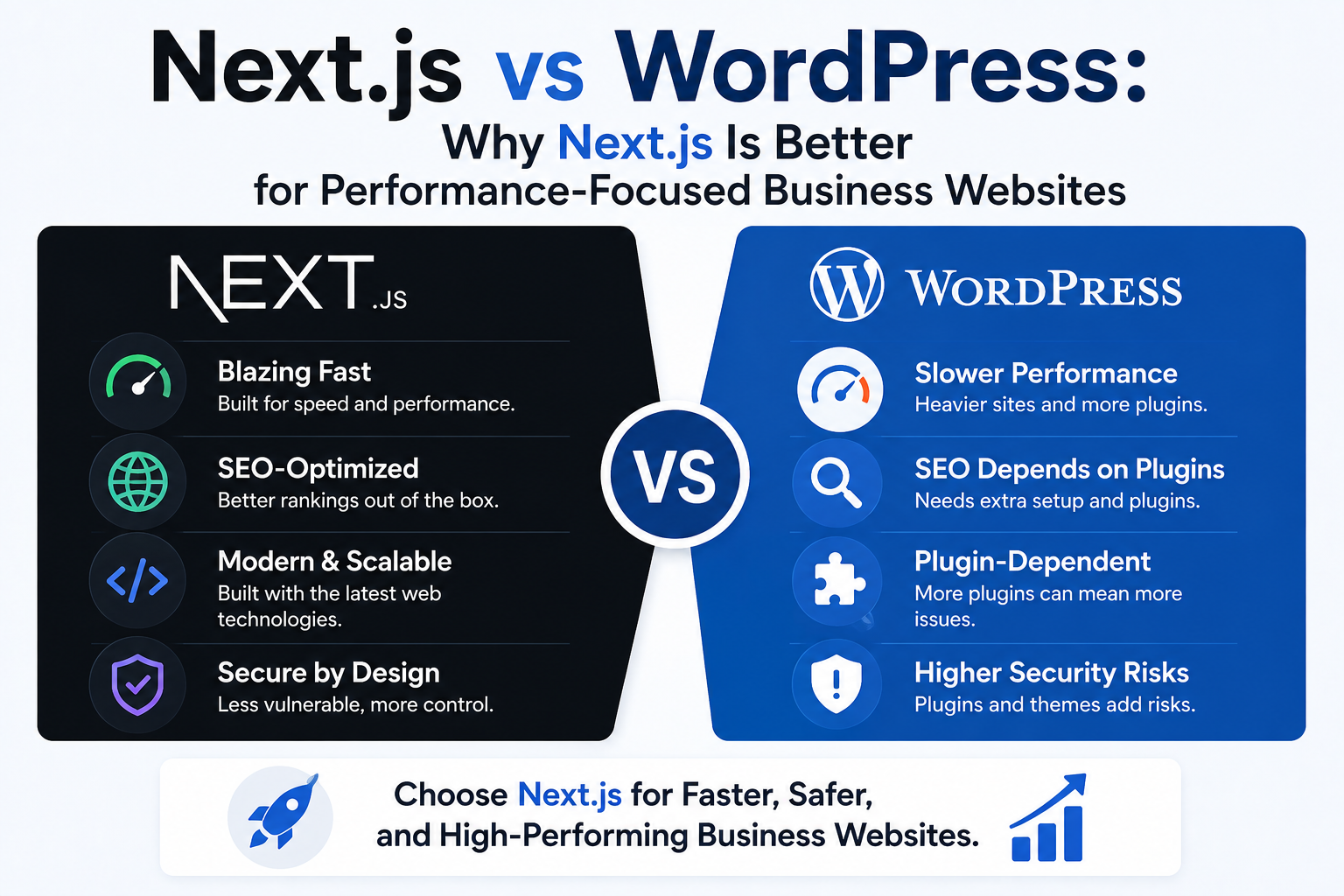
Next.js gives growth-focused companies stronger control over rendering, performance, technical SEO, integrations, and release quality than a conventional WordPress stack. This guide explains where that advantage creates business value, when WordPress remains the better option, and how to choose without creating unnecessary migration risk.
Next.js vs WordPress: Why Next.js Is Better for Performance-Focused Business Websites
Choosing between Next.js vs WordPress is not a contest between a modern framework and an obsolete platform. WordPress remains a practical publishing system for blogs, brochure sites, and small organisations. The commercial question is whether its conventional theme-and-plugin model can support the speed, integrations, security controls, localisation, and product workflows your business now requires.
For companies treating the website as revenue infrastructure, Next.js often provides the stronger foundation. It gives engineering teams direct control over rendering, caching, code delivery, structured data, APIs, and deployment. That control can produce faster pages and cleaner architecture, but only when experienced developers manage it. A poorly built React application can be slower and harder to operate than a well-managed WordPress site.
Table of Contents
1. The decision in one table
2. Performance and rendering control
3. Next.js SEO compared with WordPress SEO
4. Architecture and integrations
5. Headless CMS and content operations
6. Security and maintenance
7. Cost, migration, and platform selection
1. Next.js vs WordPress: The Decision in One Table
WordPress is a content management system with a large theme and plugin ecosystem. Next.js is a React framework used to build server-rendered, statically generated, and dynamic web applications. They solve overlapping problems but start from different assumptions.
WordPress prioritises rapid publishing and extensibility through installed software. Next.js prioritises programmable control. An editor interface is not automatically included, so Next.js is normally paired with a headless CMS, commerce platform, database, or custom admin.
| Business requirement | Next.js | WordPress | |
|---|---|---|---|
| Launch a simple five-page site quickly | Usually more engineering than required | Strong fit | |
| Non-technical team edits pages daily | Requires CMS integration | Built-in workflow | |
| Strict performance budgets | Fine-grained control | Depends heavily on host, theme, plugins, and caching | |
| Custom dashboards or portals | Strong fit | Possible, but often plugin-heavy | |
| Complex CRM or product integrations | Strong fit with typed code | Possible through plugins or custom PHP | |
| Highly custom user experience | Strong fit | Can be constrained by theme and page builder | |
| Lowest initial cost | Usually not the winner | Often the winner | |
| Publishing-only website | Often unnecessary | Strong fit |
Choose Next.js when organic and paid traffic carry meaningful revenue, the website needs custom software features, or the team requires TypeScript, automated tests, preview environments, and controlled deployments.
Choose WordPress when the site is primarily editorial, requirements are conventional, and a lightweight theme with a small plugin set can meet performance and security needs.
Need a Custom, High-Converting Website?
We build sub-second custom websites and e-commerce portals at a fraction of traditional agency rates.
2. Why Next.js Provides Stronger Performance Control
Website speed is not determined by the framework name. Hosting, media, third-party scripts, API latency, caching, and engineering discipline matter on both platforms. The difference is how precisely the team can control those factors.
Next.js supports static generation, server-side rendering, streaming, Server Components, client components, and configurable caching. Its App Router uses React features including Server Components, Suspense, and Server Functions. Next.js also recommends applying use client only to interactive areas so unnecessary JavaScript is not added to the browser bundle. Next.js
WordPress can also be fast. Its optimisation guidance covers hosting, caching, compression, database tuning, images, and software configuration. Static page caching can reduce repeated PHP and database work. WordPress.org Italia
The Next.js advantage is route-level and component-level control.
| Rendering approach | Best use | Business benefit | Main risk | |
|---|---|---|---|---|
| Static generation | Service pages and guides | Fast, cacheable HTML | Content freshness requires rebuild or revalidation | |
| ISR | Case studies and large content catalogues | Static speed with controlled updates | Incorrect invalidation can serve stale content | |
| SSR | Personalised or request-dependent pages | Fresh HTML per request | Latency and infrastructure cost if uncached | |
| Streaming | Pages with independent slow data | Useful content can appear earlier | Poor loading boundaries can shift layout | |
| Client rendering | Interactive tools | Rich browser interaction | Excess JavaScript can damage LCP and INP |
Next.js allows static generation and SSR in the same application, while ISR can update static pages at runtime. Next.js
Visitor
  |
  v
CDN or Edge Network
  |-- cached HTML
  |-- compressed assets
  |-- image transformations
  v
Next.js Application
  |-- static service pages
  |-- ISR articles and case studies
  |-- SSR account or pricing experiences
  |-- client components for forms and calculators
  v
CMS, CRM, database, commerce platform, search
Core Web Vitals
The current Core Web Vitals are Largest Contentful Paint, Interaction to Next Paint, and Cumulative Layout Shift. Good performance is assessed at the 75th percentile, with LCP at 2.5 seconds or less, INP at 200 milliseconds or less, and CLS at 0.1 or less. web.dev
| Metric | Common WordPress issue | Common Next.js issue | Engineering response | |
|---|---|---|---|---|
| LCP | Slow origin, builder CSS, oversized hero | Client data waterfall, unprioritised image | Cache HTML, improve image discovery, reduce TTFB | |
| INP | Page-builder scripts and plugin code | Oversized client bundles | Reduce browser JavaScript and split components | |
| CLS | Late banners, fonts, sliders | Dynamic components without reserved space | Define dimensions and stable loading states |
Next.js does not guarantee strong Core Web Vitals. A team can still ship large bundles, slow APIs, and excessive analytics scripts. The benefit is that performance can be governed through route budgets, real-user monitoring, bundle analysis, third-party script approval, and continuous integration checks.
3. How Next.js SEO Differs from WordPress SEO
WordPress is commonly described as SEO-friendly because editors can manage content, permalinks, media, and taxonomies through an established interface. Plugins add canonical controls, XML sitemaps, schema markup, redirects, and social metadata.
Next.js SEO is more explicit. The framework supplies tools for metadata, rendering, sitemaps, robots rules, and structured data, but the team must define URL standards, canonical logic, pagination, redirects, localisation, schema, and content governance.
Google recommends server-side or pre-rendering because it is faster for users and crawlers, and because not every bot executes JavaScript. Google also recommends static rendering, SSR, or hydration rather than dynamic rendering as a long-term workaround. Google for Developers
Next.js vs WordPress for SEO control
| SEO requirement | Next.js | WordPress | |
|---|---|---|---|
| Titles and descriptions | Metadata API or CMS-driven logic | Core fields plus SEO plugin | |
| Canonicals | Application logic by route | Usually plugin settings | |
| XML sitemaps | Static or programmatic sitemap.ts | Core or plugin-generated | |
| Robots rules | Static or generated robots.ts | File, plugin, or host | |
| Structured data | Generated from typed source data | Plugin, theme, or custom PHP | |
| Redirects | Framework, server, or edge | Plugin, server, or host | |
| International routing | Custom locale architecture | Multilingual plugin or multisite | |
| Rendering | Static, SSR, ISR, streaming | Server-rendered PHP by default |
Next.js includes conventions for generated sitemaps, robots files, metadata, and Open Graph assets. Next.js
Metadata example
import type { Metadata } from 'next';

export const metadata: Metadata = {
  title: 'Enterprise Web Development | ApexPulse',
  description:
    'Custom Next.js websites engineered for speed, SEO, and measurable growth.',
  alternates: {
    canonical: 'https://www.example.com/web-development',
  },
};
The Metadata API supports page titles and related search and sharing fields. Next.js
Programmatic sitemap example
import type { MetadataRoute } from 'next';

export default function sitemap(): MetadataRoute.Sitemap {
  return [
    {
      url: 'https://www.example.com/',
      lastModified: new Date(),
      changeFrequency: 'weekly',
      priority: 1,
    },
    {
      url: 'https://www.example.com/web-development',
      lastModified: new Date(),
      changeFrequency: 'monthly',
      priority: 0.9,
    },
  ];
}
For large applications, Next.js can generate multiple sitemaps by route or through sitemap-generation functions. Next.js
Why Next.js SEO can fail
- Important copy appears only after a client-side request.
- Canonicals are absent or generated from the wrong host.
- Parameter routes create duplicates.
- Soft 404 pages return HTTP 200.
- Old URLs use browser redirects instead of server responses.
- Structured data differs from visible content.
- Navigation uses click handlers instead of crawlable links.
- Staging pages become indexable.
- ISR retains outdated metadata.
- Localised pages have incorrect hreflang relationships.
Google recommends server-side redirects where possible because JavaScript redirects depend on successful rendering. Google for Developers
A Next.js vs WordPress SEO decision rule
Choose WordPress when editors need a standard publishing workflow and the SEO model is conventional. Choose Next.js when SEO must connect to product data, programmatic pages, application states, international routes, custom schema, or controlled rendering.
Next.js offers stronger control. WordPress offers more preassembled convenience.
4. Architecture, Integrations, and Custom Software
Growing business websites often connect to a CRM, ERP, booking engine, payment provider, product database, customer portal, or marketing automation system. This is where the comparison moves beyond website speed.
A Next.js application can use TypeScript, Server Components, route handlers, REST or GraphQL clients, PostgreSQL, Supabase, Prisma, webhooks, and provider-based authentication. Business rules can live in a reviewed repository with version control, pull requests, automated tests, environment separation, and rollback.
WordPress can support many of the same outcomes through custom PHP, plugins, and its REST API. The WordPress REST API exposes posts, pages, taxonomies, and other built-in content as JSON endpoints and can be extended with custom routes. WordPress Developer Resources
The difference is dependency management. A WordPress implementation may combine a page builder, forms plugin, SEO plugin, caching plugin, multilingual plugin, custom-fields plugin, and several integration plugins. Each component has its own update schedule and compatibility surface.
Next.js usually requires more initial engineering, but custom behaviour can be designed as one system.
CMS publishes article
       |
       v
Signed webhook
       |
       v
Next.js revalidation endpoint
       |-- validates signature
       |-- identifies affected routes
       |-- revalidates cache
       v
Updated page served through CDN
ISR and on-demand revalidation support content freshness without rebuilding every page, although exact behaviour depends on router, hosting, and cache configuration. Next.js
Important controls include webhook signatures, schema validation, idempotency, rate limiting, parameterised database queries, server-side secrets, least-privilege credentials, error monitoring, and retry handling.
5. Headless CMS and Editorial Workflows
The strongest objection to Next.js for marketing sites is valid: editors should not need a developer to change a headline or publish a case study.
A headless CMS separates content management from front-end rendering. Editors work in the CMS, while Next.js retrieves content through REST or GraphQL and renders it through approved components.
WordPress itself can be used as a headless CMS because its REST API provides JSON access to content. WordPress Developer Resources
Editors
   |
   v
Headless CMS
   |-- pages
   |-- articles
   |-- authors
   |-- case studies
   |-- SEO fields
   v
REST or GraphQL
   v
Next.js
   |-- design system
   |-- schema generation
   |-- localisation
   |-- previews
   |-- cache and revalidation
   v
CDN and visitors
Benefits
- Editors publish without changing application code.
- The front end is not constrained by a theme.
- Content can feed a website, app, portal, or campaign system.
- Structured fields support schema markup and reusable components.
- Developers can enforce design and performance rules.
Costs
- Preview and draft states require engineering.
- Redirects, canonicals, and SEO fields need explicit models.
- Image handling and webhooks must be maintained.
- Editors may find structured content less flexible than a visual builder.
- Two systems create two permission and maintenance models.
Before selecting a headless CMS, define page types, reusable blocks, authors, categories, locales, canonical overrides, redirects, SEO fields, schema fields, publication dates, preview permissions, approvals, and scheduled publishing.
A headless architecture is valuable when content is reused or the public website includes significant custom functionality. It can be unnecessary complexity for a small brochure site.
6. Security, Maintenance, and Operational Risk
WordPress security is often oversimplified. WordPress core is maintained, and a properly hosted and updated installation can be operated securely. Risk comes from the complete system: core, themes, plugins, hosting, administrator accounts, and custom code.
WordPress documentation advises keeping themes and plugins updated, while its administration provides separate management for core, plugins, themes, and translations. WordPress.org
Next.js also has dependencies and security releases. React development does not remove patching, exposed secrets, authentication errors, or vulnerable packages. The difference is that a custom application can reduce the public administration surface and avoid adding a plugin for each business feature.
| Control | Next.js | WordPress | |
|---|---|---|---|
| Public admin panel | Optional or separate | Standard administration area | |
| Dependencies | npm packages and services | Core, themes, plugins, PHP packages | |
| Updates | Engineering release process | Admin, host, or managed updates | |
| API exposure | Explicitly designed routes | REST endpoints plus plugin routes | |
| Authentication | Custom or provider-based | Built-in users plus extensions | |
| Backups | Infrastructure and data-service design | Host, plugin, or infrastructure |
A Next.js baseline should include CSP, HSTS, secure cookies, input validation, output encoding, rate limits, secret rotation, dependency scanning, backups, logging, and tested rollback.
Platform choice also does not guarantee accessibility. Use WCAG-based checks for semantic HTML, keyboard navigation, focus, labels, error messages, contrast, alternative text, modal behaviour, zoom, and responsive reflow.
7. Cost, Migration, and the Correct Platform Decision
Next.js normally costs more to design and build because the team is creating an application rather than configuring a packaged CMS. The investment is justified only when it removes real constraints or supports measurable growth.
Compare total cost across:
1. Initial discovery, UX, development, content migration, SEO validation, and launch.
2. Hosting, CDN, CMS, database, monitoring, media, and backups.
3. Maintenance, updates, bug fixes, and security.
4. Future integrations, experiments, localisation, and custom features.
5. Revenue risk from downtime, slow releases, performance, and tracking errors.
A low launch price can become expensive when each feature needs another plugin or workaround. A custom stack can also become wasteful when the company has few ongoing requirements.
Decision matrix
| Factor | WordPress | Next.js | |
|---|---|---|---|
| Editorial simplicity | 5/5 | 3/5 | |
| Performance control | 3/5 | 5/5 | |
| Custom application features | 2/5 | 5/5 | |
| Initial budget efficiency | 5/5 | 2/5 | |
| Complex integrations | 3/5 | 5/5 | |
| Governance and release control | 3/5 | 5/5 |
Replace these example scores with evidence from your organisation.
Migration checklist
Moving from WordPress to Next.js is an SEO migration:
- Export URLs from the CMS, sitemaps, analytics, Search Console, backlinks, and logs.
- Preserve high-value URLs where possible.
- Map changed URLs with server-side 301 or 308 redirects.
- Migrate titles, descriptions, headings, canonicals, schema, images, alt text, dates, and internal links.
- Rebuild XML sitemaps and robots rules.
- Validate status codes and rendered HTML.
- Benchmark Core Web Vitals and conversion funnels.
- Keep staging inaccessible to search engines.
- Test forms, CRM events, analytics, consent, and advertising events.
- Monitor 404s, 5xx responses, indexation, impressions, clicks, leads, and revenue after launch.
Do not combine a platform migration, URL redesign, complete content rewrite, and brand relaunch unless the business accepts the diagnostic risk. Changing everything at once makes ranking and conversion losses difficult to isolate.
Use WordPress for straightforward publishing when it meets performance, security, and workflow needs without a large dependency chain.
Use Next.js when the website must function as a fast, testable, integrated software product. The strongest case is not that React is newer. It is that the organisation needs precise control over rendering, caching, APIs, tracking, content models, and release quality.
Frequently Asked Questions
Is Next.js always faster than WordPress?
No. A well-cached WordPress site with a lightweight theme, optimised images, and limited plugins can outperform a poorly engineered Next.js application. Next.js provides stronger control, but the result depends on implementation and hosting.
Is Next.js better for SEO?
Next.js can be excellent for SEO because it supports pre-rendered and server-rendered HTML, metadata, sitemaps, robots rules, and structured data. It can also create serious faults when rendering, canonicals, redirects, or client-side navigation are implemented incorrectly.
Can WordPress be used as a headless CMS for Next.js?
Yes. Editors can continue using WordPress while Next.js renders the public website through the WordPress REST API. Preview, authentication, caching, media, redirects, webhooks, and deployment still require planning.
Is Next.js more secure than WordPress?
Not automatically. Both platforms require patching, access controls, backups, monitoring, and secure development. Next.js can reduce theme and plugin reliance, while WordPress can be secure when its complete stack is well managed.
Should every business migrate from WordPress to Next.js?
No. Migration is justified when the current platform restricts performance, custom features, integrations, localisation, security governance, or release quality. A conventional publishing site may receive little commercial benefit from the added engineering cost.
Conclusion: Choosing Next.js vs WordPress for Business Growth
The correct answer to Next.js vs WordPress depends on what the website must become.
WordPress is often the sensible choice for a content-led site needing fast setup, familiar editing, and modest customisation. Next.js is usually stronger when website speed, Next.js SEO control, custom integrations, React development, SSR, headless CMS architecture, and continuous product improvement directly affect revenue.
ApexPulse approaches this as an architecture and growth decision, not a framework sales pitch. A free technical strategy session can assess the current platform, Core Web Vitals, content workflow, integration requirements, migration risk, and expected commercial value before recommending a rebuild.
Get a Free Website Architecture & UX Audit
We audit your current codebase, design system, and checkout flows to build a modern, high-converting website.
“0.7s Load Speed | 99/100 Core Web Vitals | Reliable Civic News Delivery”