Next.js vs WordPress for Business Websites: A 2026 Decision Guide
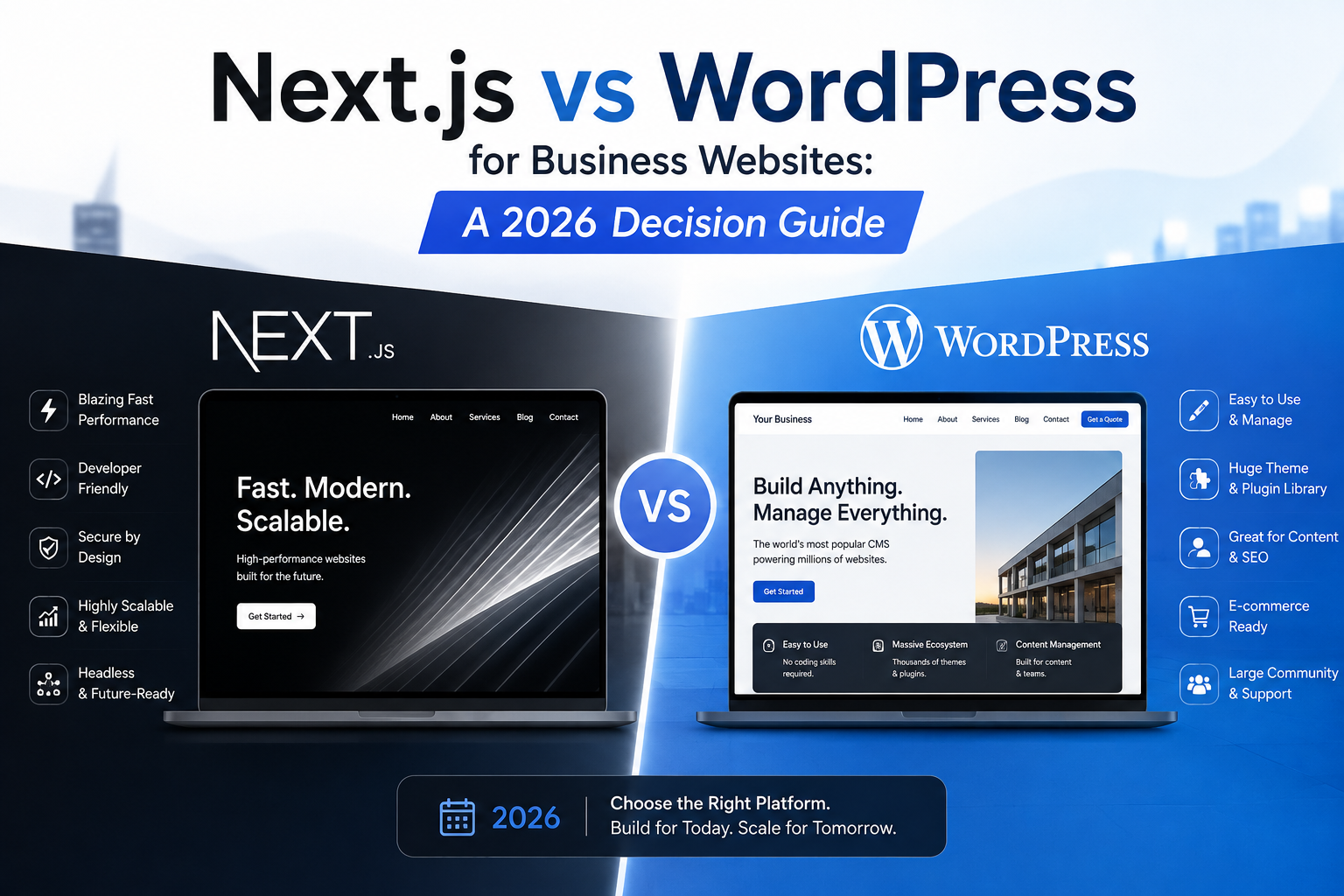
Compare Next.js and WordPress across SEO, performance, security, conversion, scalability, maintenance, and total cost before choosing your business website platform.
Next.js vs WordPress for Business Websites: A 2026 Decision Guide
Choosing between Next.js vs WordPress for business websites is not a debate about which platform is universally better. It is a decision about operating model, growth plans, content requirements, technical ownership, security exposure, conversion goals, and the cost of future change.
A brochure website for a local consultancy has different requirements from a multilingual SaaS platform, a high-volume publishing operation, or a custom customer portal. A platform that works well during launch may become expensive once the company adds integrations, landing pages, regional content, personalization, or complex lead routing.
This guide evaluates both options from the perspective of search visibility, website speed, conversion performance, engineering effort, maintenance, scalability, and return on investment.
Meta description: Compare Next.js vs WordPress for business websites across SEO, speed, security, scalability, conversion, maintenance, and total cost.
Search intent: Commercial
Table of Contents
1. What businesses are actually choosing
2. Next.js and WordPress comparison
3. SEO and Core Web Vitals
4. Content management and marketing operations
5. Security, maintenance, and technical ownership
6. Scalability, integrations, and long-term cost
7. A decision framework for choosing the right platform
8. Frequently asked questions
9. Conclusion
1. What Businesses Are Actually Choosing
The decision is not only about a JavaScript framework versus a content management system.
WordPress is a complete publishing environment. It includes an administrative interface, themes, plugins, user permissions, media management, and a large ecosystem of extensions. It can serve a small company site, a content publication, a membership website, or an online store.
Next.js is an application framework built on React. It gives an engineering team control over rendering, routing, caching, data fetching, user interfaces, integrations, and deployment architecture. It does not provide a traditional content editor by itself, so it is often paired with a headless CMS such as Sanity, Contentful, Strapi, Payload, or WordPress used only as a content backend.
The practical comparison is therefore:
- A packaged website publishing system with a broad plugin ecosystem
- A custom application architecture with more control and higher engineering responsibility
The Business Questions That Matter
Before reviewing technical features, clarify these questions:
- How frequently will marketers publish or edit content?
- Does the website need custom calculators, portals, dashboards, or workflows?
- Will the business operate across multiple regions or languages?
- How important are page speed and interaction performance?
- Who will maintain dependencies, security updates, and integrations?
- Does the company require strict design consistency?
- Will the website connect to CRM, ERP, payment, inventory, or internal systems?
- How expensive would a rebuild be in two or three years?
A company should select the platform that reduces operational friction while supporting revenue growth. The cheapest launch option is not always the lowest-cost option over the full life of the website.
Need a Custom, High-Converting Website?
We build sub-second custom websites and e-commerce portals at a fraction of traditional agency rates.
2. Next.js vs WordPress for Business Websites
The following table presents the core differences.
| Decision Area | Next.js | WordPress | |
|---|---|---|---|
| Initial development | Usually higher for custom builds | Often lower for standard websites | |
| Content editing | Requires a CMS integration | Built-in editor and media library | |
| Design control | High | Depends on theme and page builder | |
| Custom application features | Strong | Possible, but may require plugins or custom PHP | |
| Performance potential | High with disciplined engineering | Good when hosting, theme, and plugins are controlled | |
| Maintenance model | Developer-managed dependencies and infrastructure | Core, theme, plugin, hosting, and PHP maintenance | |
| Security surface | Can be narrow when architecture is controlled | Can expand as plugins and admin users increase | |
| Marketing independence | Depends on CMS implementation | Strong for standard publishing | |
| Scalability | Strong for distributed and application-heavy systems | Strong for publishing, but architecture matters | |
| Hosting options | Vercel, Cloudflare, AWS, Netlify, containers | Managed WordPress hosts, cloud servers, shared hosting | |
| Preview workflow | Must be designed | Commonly available | |
| Total cost | Depends on engineering complexity | Depends on plugins, hosting, maintenance, and rebuild risk |
Where Next.js Is Strongest
Next.js is a strong fit when the website behaves more like a product than a collection of pages.
Common examples include:
- SaaS marketing sites connected to product data
- Customer dashboards
- Property, job, course, or product directories
- High-traffic landing page systems
- Websites with personalized content
- Multi-brand platforms
- Interactive pricing tools
- Headless commerce
- Websites requiring strict control over performance and front-end behavior
Next.js supports server-side rendering, static generation, incremental static regeneration, streaming, route-level caching, image optimization, and component-based development.
These capabilities allow a team to determine how each page should be generated rather than applying one rendering model to the entire website.
Where WordPress Is Strongest
WordPress remains practical when editorial independence is a major requirement.
It is often suitable for:
- Service business websites
- Corporate websites with frequent publishing
- News and magazine sites
- Resource libraries
- Standard lead-generation websites
- Small ecommerce stores using WooCommerce
- Teams that require a familiar administrative interface
- Companies without internal engineering support
WordPress becomes risky when a business installs many overlapping plugins, depends on an inflexible page builder, or treats every new requirement as another extension. The platform itself is not automatically slow or insecure. Poor implementation creates most of the problems associated with it.
A Direct Next.js vs WordPress for Business Websites Assessment
For a standard marketing website, WordPress may reach launch faster and make routine editing easier.
For a custom digital platform, Next.js usually provides cleaner control over functionality, integrations, performance, and design systems.
The deciding factor is not the number of pages. A 20-page website with account features, dynamic pricing, multiple data sources, and personalized content can be more complex than a 5,000-page publication.
3. SEO and Core Web Vitals
Both platforms can rank. Neither receives an automatic ranking advantage because of its name.
Google evaluates the pages users and crawlers receive. Search performance depends on crawlability, content quality, internal linking, rendering, structured data, page experience, authority, and whether the website satisfies the searcher’s need.
Rendering and Crawlability
Next.js can render content in several ways:
- SSR: HTML is generated for each request.
- SSG: HTML is generated during the build process.
- ISR: Static pages are refreshed after a configured period or event.
- Client rendering: Content is generated in the browser after JavaScript loads.
- Streaming: Parts of a page are delivered as they become ready.
For important SEO pages, server-rendered or statically generated HTML is usually preferable because primary content and links are available in the initial response.
WordPress normally returns server-generated HTML. This is a mature and crawler-friendly model, provided the theme outputs clean markup and essential content is not hidden behind scripts.
Core Web Vitals Targets
A well-built business website should aim for:
- Largest Contentful Paint under 2.5 seconds
- Cumulative Layout Shift below 0.1
- Interaction to Next Paint below 200 milliseconds
- Server response time, commonly monitored through TTFB, below 800 milliseconds where practical
These are performance targets, not guaranteed ranking outcomes.
Next.js provides strong tools for reaching them, but poor implementation can still produce large JavaScript bundles, slow APIs, unstable layouts, or expensive client-side rendering.
WordPress can also meet these targets when the website uses:
- Quality hosting
- Full-page caching
- An efficient theme
- Optimized images
- Limited third-party scripts
- Controlled plugin usage
- Critical CSS
- A content delivery network
- Clean database operations
Performance Failure Patterns
| Platform | Common Failure | Business Effect | |
|---|---|---|---|
| Next.js | Excessive client components | Slower interaction and larger downloads | |
| Next.js | Uncached server requests | Higher TTFB and infrastructure cost | |
| Next.js | Large third-party libraries | Slower page rendering | |
| Next.js | Poor image sizing | Weak LCP and visual instability | |
| WordPress | Heavy page builders | Large DOM and excessive CSS | |
| WordPress | Too many plugins | Conflicts, slow queries, and maintenance burden | |
| WordPress | Cheap shared hosting | Slow server response | |
| WordPress | Uncontrolled tracking scripts | Reduced speed and conversion performance |
Technical SEO Controls
Next.js requires the engineering team to implement and test:
- Canonical URLs
- XML sitemaps
- Robots directives
- Metadata
- Open Graph tags
- Pagination handling
- Redirects
- Structured data
- International targeting
- Error status codes
WordPress provides many of these controls through plugins such as Yoast SEO, Rank Math, or custom development. The risk is conflicting configuration when several plugins alter the same metadata, redirects, or schema.
A Next.js metadata example:
import type { Metadata } from "next";

export const metadata: Metadata = {
  title: "Enterprise CRM Integration Services | ApexPulse",
  description:
    "Connect your website, CRM, analytics, and sales operations with a secure integration architecture.",
  alternates: {
    canonical: "https://example.com/crm-integration-services",
  },
};
A service schema example:
const serviceSchema = {
  "@context": "https://schema.org",
  "@type": "Service",
  name: "CRM Integration Services",
  provider: {
    "@type": "Organization",
    name: "ApexPulse",
  },
  areaServed: "Global",
};
Structured data must match visible page content. Adding schema does not compensate for thin service descriptions, unclear expertise, or weak trust signals.
4. Content Management and Marketing Operations
A technically strong website can still fail if the marketing team cannot operate it efficiently.
Editorial Speed
WordPress provides a familiar publishing workflow. Editors can create drafts, schedule posts, upload media, manage categories, review revisions, and update pages without requesting a deployment.
Next.js needs a connected CMS and a carefully designed editorial model. A weak headless CMS setup can make basic changes harder than necessary. A strong setup can give editors structured fields, reusable content blocks, preview links, scheduled publishing, localization, and controlled design options.
The goal should not be unrestricted editing. It should be safe editing.
Marketing teams need enough control to launch campaigns, update offers, create landing pages, and improve copy without being able to break spacing, accessibility, schema, or mobile layouts.
Page Builders Versus Structured Components
Page builders offer flexibility, but flexibility can create inconsistency.
Common problems include:
- Different spacing rules on every page
- Unapproved typography
- Duplicate components
- Incorrect heading order
- Oversized images
- Missing alt text
- Weak mobile layouts
- CTA inconsistency
- Broken tracking attributes
A structured component system uses approved blocks such as:
- Hero
- Proof bar
- Service grid
- Comparison table
- Testimonial section
- FAQ
- Pricing card
- CTA panel
- Case study summary
This model is common in headless Next.js builds, but it can also be implemented in WordPress through custom Gutenberg blocks.
Conversion Rate Optimization
The platform should help the business test and improve:
- Value propositions
- CTA wording
- Form length
- Trust signals
- Case study placement
- Pricing visibility
- Navigation labels
- Mobile contact actions
- Lead qualification
- Thank-you page routing
WordPress allows marketers to deploy changes quickly, but plugin-based experimentation can add scripts and affect performance.
Next.js gives developers detailed control over experiments, analytics events, and server-side personalization. It may require more engineering involvement unless the testing system is designed into the website.
Content Governance Checklist
Before choosing either platform, confirm that the content workflow supports:
- [ ] Draft, review, and approval stages
- [ ] Preview before publishing
- [ ] Revision history
- [ ] Role-based permissions
- [ ] Scheduled publishing
- [ ] Redirect management
- [ ] SEO field validation
- [ ] Image size controls
- [ ] Required alt text
- [ ] Reusable CTA management
- [ ] Localization
- [ ] Content ownership
- [ ] Broken-link monitoring
- [ ] Archiving and deletion rules
5. Security, Maintenance, and Technical Ownership
Security should be evaluated as an operational system rather than a one-time configuration.
WordPress Security Model
A WordPress website commonly includes:
- WordPress core
- A theme
- Multiple plugins
- PHP
- A database
- An administrative login
- Hosting control panels
- Third-party integrations
Every component needs updates and monitoring. A vulnerability in an abandoned plugin can create risk even when WordPress core is current.
Good WordPress security practices include:
- Managed hosting
- Restricted administrator access
- Multi-factor authentication
- Automated backups
- Staging environments
- Web application firewall rules
- Plugin review and removal
- File integrity monitoring
- Login rate limiting
- Secure headers
- Tested restoration procedures
Next.js Security Model
A Next.js site may expose a smaller public editing surface, especially when the CMS is hosted separately. However, custom applications can introduce their own security failures.
Teams must protect:
- API routes
- Authentication flows
- Session cookies
- JWT validation
- Database queries
- File uploads
- Webhooks
- Environment variables
- Preview endpoints
- Server actions
- Third-party credentials
Security headers can be configured in the application:
const securityHeaders = [
  {
    key: "X-Content-Type-Options",
    value: "nosniff",
  },
  {
    key: "Referrer-Policy",
    value: "strict-origin-when-cross-origin",
  },
  {
    key: "X-Frame-Options",
    value: "DENY",
  },
];

export default {
  async headers() {
    return [
      {
        source: "/(.*)",
        headers: securityHeaders,
      },
    ];
  },
};
A Content Security Policy should be designed around the scripts and services the website actually uses. Copying a restrictive policy without testing can break forms, analytics, payments, or embedded content.
Maintenance Cost Is More Than Updates
Maintenance includes:
- Dependency upgrades
- Browser compatibility
- Form testing
- Analytics validation
- Backup verification
- Uptime monitoring
- Security review
- Search Console checks
- Redirect maintenance
- Performance monitoring
- Accessibility testing
- CMS support
- Integration monitoring
WordPress maintenance is often predictable when the plugin set is controlled.
Next.js maintenance can be efficient when the codebase has automated tests, typed interfaces, documented deployment processes, and experienced ownership. It can become expensive when a business receives a custom build without documentation or ongoing engineering support.
6. Scalability, Integrations, and Long-Term Cost
Scalability is not only traffic capacity. It includes the ability to add new regions, products, features, teams, integrations, and campaigns without rebuilding the foundation.
Integration Architecture
Next.js is usually more natural for complex integration work because developers can build typed API clients, server-side workflows, middleware, queues, and custom data models.
A website may connect to:
- Salesforce
- HubSpot
- Zoho
- Supabase
- PostgreSQL
- Payment gateways
- Inventory systems
- Search services
- Email platforms
- ERP software
- Customer support tools
- Internal APIs
WordPress can connect to these systems through plugins or custom PHP. This is suitable when integrations are standard. It becomes harder to govern when several plugins synchronize the same contacts, orders, or custom fields.
Caching and Traffic Handling
Next.js can use:
- CDN caching
- Route caching
- Data caching
- ISR
- Redis
- Edge middleware
- Statically generated pages
- Serverless or container deployments
WordPress can scale through:
- Full-page cache
- Object cache
- Redis
- Database optimization
- CDN delivery
- Read replicas
- Managed autoscaling
- Static asset offloading
Both can handle meaningful traffic. Architecture quality matters more than platform stereotypes.
Total Cost of Ownership
A realistic cost analysis should include:
| Cost Area | Questions to Ask | |
|---|---|---|
| Build | How much custom design and functionality is required? | |
| Hosting | Does traffic or server rendering create variable cost? | |
| Licensing | Are premium plugins, CMS seats, or services required? | |
| Maintenance | Who handles updates, monitoring, and incident response? | |
| Content operations | Can marketers work without developer support? | |
| Performance | Will slow pages reduce leads or paid campaign efficiency? | |
| Rebuild risk | Will the current platform support the next growth stage? | |
| Hiring | Is the required technical talent available? | |
| Integrations | How difficult is it to connect business systems? | |
| Governance | Can the team maintain quality as page count grows? |
A low-cost WordPress build can become expensive if it requires frequent repair, plugin replacement, or a complete redesign.
A custom Next.js website can also produce weak ROI if the company pays for architecture it does not need or cannot maintain.
7. A Decision Framework for Choosing the Right Platform
Use the following matrix as a starting point.
| Requirement | Prefer Next.js | Prefer WordPress | |
|---|---|---|---|
| Standard service pages and blog | ✓ | ||
| Frequent editor-led publishing | ✓ | ||
| Custom dashboard or portal | ✓ | ||
| Complex third-party integrations | ✓ | ||
| Strict front-end performance control | ✓ | ||
| Small budget and standard scope | ✓ | ||
| Large editorial team | Depends on CMS | ✓ | |
| Personalized content | ✓ | ||
| Headless commerce | ✓ | ||
| Fast launch using established templates | ✓ | ||
| Multi-brand design system | ✓ | ||
| Limited technical support | ✓ | ||
| Product-like website functionality | ✓ |
Choose WordPress When
WordPress is likely the better fit when:
- The website is content-led.
- The business needs a familiar editor.
- Requirements are mostly standard.
- The budget does not support a custom application build.
- Managed hosting and maintenance are available.
- The plugin set can remain controlled.
- Marketing speed matters more than custom front-end behavior.
Choose Next.js When
Next.js is likely the better fit when:
- The website includes application features.
- Performance control is commercially important.
- The business requires custom integrations.
- The design system must remain consistent across many pages.
- The company expects regional, product, or platform expansion.
- Engineering support is available.
- The website must share data or components with other products.
Choose a Headless WordPress and Next.js Architecture When
A hybrid approach can work when editors want WordPress while developers want a React front end.
In this model:
1. WordPress manages content.
2. Next.js retrieves content through REST or GraphQL.
3. The front end renders pages using SSR, SSG, or ISR.
4. Webhooks trigger page refreshes after publication.
5. Preview mode allows editors to review unpublished content.
This architecture adds complexity. It is justified when the business genuinely needs both editorial familiarity and front-end control.
It is not a good choice when a standard WordPress theme would satisfy the requirement at lower cost.
Frequently Asked Questions
Is Next.js better than WordPress for SEO?
Next.js is not automatically better for SEO. It provides detailed control over rendering, metadata, speed, structured data, and architecture. WordPress provides mature publishing and SEO tools. Either can perform well when content, technical implementation, internal linking, authority, and page experience are strong.
Is WordPress too slow for a professional business website?
No. WordPress can be fast with efficient hosting, caching, optimized images, a lightweight theme, and controlled plugins. Slow WordPress websites often suffer from heavy page builders, excessive scripts, weak hosting, or poor database operations.
Does Next.js cost more to maintain?
It can. Maintenance requires developers who understand React, Next.js, hosting, APIs, and dependency management. The cost may be justified when the website supports custom functionality or revenue-critical experiences.
Can marketers update a Next.js website without developers?
Yes, when the website is connected to a well-designed headless CMS. Editors can manage pages, posts, media, metadata, and reusable sections. The editing experience must be included in the project scope rather than treated as an afterthought.
Is WordPress secure enough for business use?
Yes, provided the website uses reputable hosting, limited plugins, controlled access, backups, monitoring, and timely updates. Security problems increase when unmaintained plugins, weak passwords, or unsupported themes remain in production.
Should an ecommerce company use Next.js or WooCommerce?
WooCommerce is suitable for standard stores that fit the WordPress ecosystem. Next.js may be preferable for headless commerce, complex catalogs, custom checkout experiences, or deep integration with other systems. The decision should account for product management, payments, operations, search, and support.
Can a WordPress site be migrated to Next.js later?
Yes. Content can be exported or accessed through an API, while URLs, metadata, redirects, media, schema, and internal links are mapped into the new system. Migration planning is essential to avoid traffic loss.
Which option provides better ROI?
The option that matches the operating model provides better ROI. WordPress often produces stronger value for standard publishing websites. Next.js can produce stronger value when performance, integrations, custom workflows, or scalability directly support revenue.
Conclusion: Choosing Next.js vs WordPress for Business Websites
The correct answer to Next.js vs WordPress for business websites depends on what the website must do, who must operate it, and how the business expects it to change.
WordPress is often the practical choice for content-heavy websites, service businesses, publications, and teams that need direct editorial control.
Next.js is often the stronger choice for custom digital platforms, advanced integrations, strict performance requirements, interactive tools, and businesses treating the website as part of their product infrastructure.
Do not select a platform based only on launch cost, developer preference, or brand popularity. Evaluate content operations, conversion requirements, technical ownership, security, integration complexity, and the cost of future expansion.
ApexPulse helps businesses assess website architecture before committing to a rebuild. Book a free strategy session to review your requirements, current technical limitations, SEO risks, and the platform model most likely to support sustainable growth.
Get a Free Website Architecture & UX Audit
We audit your current codebase, design system, and checkout flows to build a modern, high-converting website.
“0.7s Load Speed | 99/100 Core Web Vitals | Reliable Civic News Delivery”