Technical SEO Checklist for E-Commerce Stores: A Revenue-Focused Audit Framework
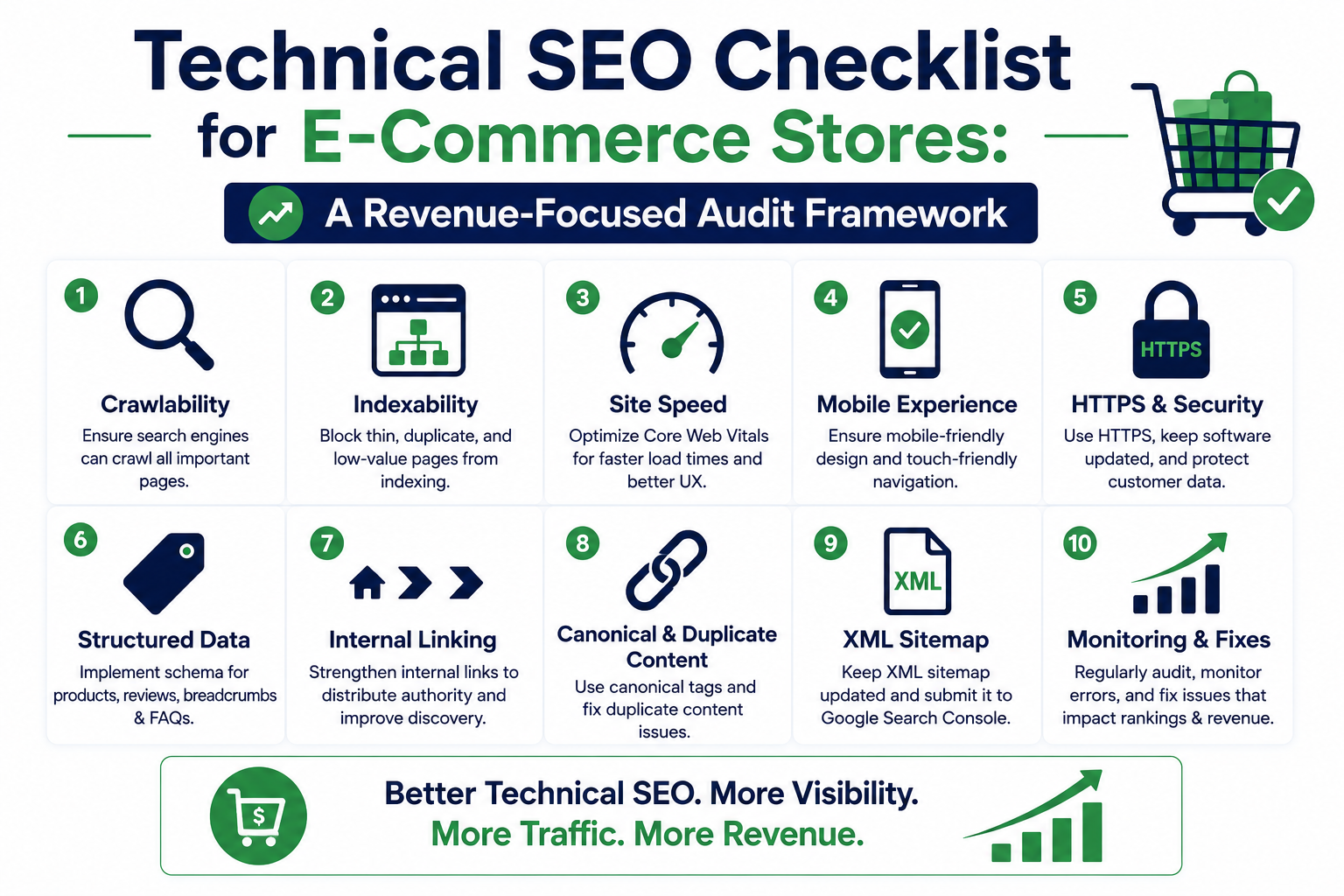
This technical SEO checklist explains how to audit an e-commerce store across crawling, indexation, product architecture, schema markup, Core Web Vitals, and measurement. It prioritises issues by organic revenue risk so development teams can fix the faults most likely to suppress product visibility and sales.
Technical SEO Checklist for E-Commerce Stores: A Revenue-Focused Audit Framework
A product catalogue can contain strong products, competitive prices, and useful content yet remain difficult for Google to crawl, index, and rank. This technical SEO checklist helps e-commerce teams identify the infrastructure problems that commonly restrict category visibility, product discovery, and organic revenue.
The objective is not to collect hundreds of warnings from an SEO crawler. A useful audit establishes which URLs are affected, why the problem exists, how it influences search visibility, and what developers must change without damaging checkout, analytics, or merchandising systems.
Google publishes dedicated guidance for e-commerce websites covering site structure, product data, pagination, URL design, structured data, and product discovery. The strongest technical strategy treats those areas as one connected system rather than isolated SEO tasks. Google for Developers
Table of Contents
1. Establish crawl and indexation control
2. Design category, product, and faceted URL architecture
3. Implement accurate e-commerce schema markup
4. Improve Core Web Vitals and storefront performance
5. Strengthen internal linking, pagination, and product discovery
6. Use Google Search Console, logs, and analytics correctly
7. Prioritise fixes by revenue risk
1. Technical SEO Checklist: Establish Crawl and Indexation Control
Search engines must be able to discover a URL, access its resources, render its meaningful content, identify the preferred version, and determine whether it belongs in the index. A failure at any stage can prevent a commercially important product or category from generating search traffic.
Start by creating a complete URL inventory from several sources:
- The commerce platform or product database
- XML sitemaps
- Google Search Console exports
- Analytics landing-page reports
- Backlink data
- Internal crawl results
- Server access logs
- Paid shopping feeds
- Historic migration files
Do not treat the crawler export as the complete website. Orphaned product pages may receive Googlebot visits, backlinks, paid traffic, or direct sales despite having no current internal links.
Technical SEO checklist for crawl access
- Confirm that important products, categories, brands, guides, and store locations return HTTP 200.
- Check that robots.txt does not block required HTML, JavaScript, CSS, images, or API endpoints used for rendering.
- Verify that indexable pages do not contain noindex in HTML or an X-Robots-Tag response header.
- Find redirect chains, redirect loops, soft 404s, and expired products returning 200.
- Confirm that staging authentication, noindex, and robots rules were not copied to production.
- Test pages as Googlebot smartphone and as a normal browser.
- Compare raw HTML with the rendered DOM to identify content that depends on failed JavaScript.
- Inspect CDN, firewall, and bot-protection rules for intermittent Googlebot blocks.
- Review server errors by template, response code, bot, and time period.
Robots.txt controls crawling, not guaranteed index removal. Blocking a URL in robots.txt can stop Google from seeing a noindex directive placed on that URL. Pages that must leave the index should normally remain crawlable until the removal directive has been processed.
Indexation decision matrix
| URL type | Index by default? | Canonical approach | Sitemap inclusion | |
|---|---|---|---|---|
| Primary category | Yes | Self-referencing | Yes | |
| Subcategory with distinct demand | Yes | Self-referencing | Yes | |
| Available product | Yes | Self-referencing | Yes | |
| Product variant with unique search value | Conditional | Self or ProductGroup strategy | Conditional | |
| Internal search result | No | Usually noindex | No | |
| Sort-order URL | No | Consolidate or block appropriately | No | |
| Filter with no search demand | No | Consolidate, noindex, or crawl control | No | |
| Filter with proven demand and unique inventory | Conditional | Self-referencing | Yes, when intentionally indexable | |
| Cart, checkout, account | No | Noindex and access controls | No | |
| Permanently discontinued product with replacement | No | 301 to close equivalent | No | |
| Discontinued product with links or continuing demand | Conditional | Keep useful page or return 404/410 | Conditional |
A canonical tag is a consolidation signal, not a substitute for sound architecture. Internal links, sitemap entries, redirects, and canonical tags should all point towards the same preferred URL.
XML sitemap checks
Create separate sitemaps for products, categories, editorial content, brands, and locations when that separation helps diagnose indexation.
Every submitted URL should:
- Return HTTP 200
- Be indexable
- Use the preferred HTTPS hostname
- Match the selected trailing-slash format
- Contain a self-referencing canonical where appropriate
- Avoid URL parameters and session identifiers
- Include an accurate lastmod value when the platform can maintain it reliably
Example:
<?xml version="1.0" encoding="UTF-8"?>
<urlset xmlns="http://www.sitemaps.org/schemas/sitemap/0.9">
  <url>
    <loc>https://www.example.com/category/running-shoes/</loc>
    <lastmod>2026-07-24</lastmod>
  </url>
  <url>
    <loc>https://www.example.com/products/womens-road-running-shoe/</loc>
    <lastmod>2026-07-26</lastmod>
  </url>
</urlset>
Google supports sitemap submission through Search Console, the Search Console API, and a sitemap declaration in robots.txt. Sitemap submission supports discovery and monitoring but does not guarantee indexation. Google for Developers
Struggling to Rank on Page 1 of Google?
Our engineering team builds SEO structures and schema wiring that drive rank #1 search positions.
2. Control Category, Product, and Faceted URL Architecture
E-commerce platforms can generate hundreds of crawlable URLs from one product list. Size, colour, price, availability, brand, material, sorting, currency, and tracking parameters can combine into near-duplicate pages.
For example:
/category/shoes/
/category/shoes/?colour=black
/category/shoes/?colour=black&size=9
/category/shoes/?size=9&colour=black
/category/shoes/?sort=price-low
/category/shoes/?utm_source=email
Without clear controls, Googlebot may spend time requesting parameter combinations while important new products remain weakly linked. Duplicate combinations can also divide internal signals and make indexation reporting difficult.
Build an intentional faceted-navigation policy
Classify each filter by search demand, inventory stability, uniqueness, conversion value, and operational cost.
| Filter type | Typical treatment | Reason | |
|---|---|---|---|
| High-demand brand category | Indexable landing page | Distinct intent and commercial value | |
| Popular product type plus attribute | Conditional indexation | Useful when inventory and demand justify it | |
| Price sorting | Non-indexable | Same products in a different order | |
| View mode | Non-indexable | No meaningful content change | |
| Session or tracking parameter | Non-indexable | User attribution, not search content | |
| Highly specific multi-filter combination | Usually non-indexable | Thin inventory and URL expansion risk | |
| In-stock filter | Usually consolidate | Availability changes frequently | |
| Region or language | Indexable only with valid localisation | Requires unique regional relevance and hreflang planning |
For indexable facet pages, create stable URLs with unique titles, headings, introductory copy, product sets, internal links, canonicals, and sitemap inclusion. Do not index every possible filter combination automatically.
Product variant architecture
Variants can be represented on one product URL or across multiple URLs. The right model depends on how users search and how much each variant differs.
Use one canonical product URL when:
- Variants differ only by a minor attribute
- Product descriptions and media are substantially identical
- Individual variants have little independent search demand
- Inventory and reviews are managed at the parent level
Consider separate indexable variant URLs when:
- Each variant has meaningful search demand
- The product name, imagery, specifications, availability, or use case differs
- Users commonly land directly on the variant
- Internal links and product data can consistently support each URL
Google supports product variant structured data using ProductGroup and Product for eligible implementations. Variant markup should reflect the actual relationship between the parent product and selectable variants. Google for Developers
Canonical implementation example
<link rel="canonical" href="https://www.example.com/products/womens-road-running-shoe/">
Check canonicals in the rendered HTML and HTTP response, not only in the CMS interface. JavaScript applications can accidentally overwrite canonicals, generate multiple canonical tags, or point every variant to an unavailable parent.
URL architecture rules
- Use readable, stable paths based on product and category meaning.
- Avoid exposing database IDs when a stable descriptive identifier is available.
- Do not change established URLs solely for cosmetic reasons.
- Keep lowercase, encoding, slash, and hostname rules consistent.
- Redirect retired URLs directly to the closest valid replacement.
- Avoid redirecting every discontinued product to the homepage.
- Update internal links after migrations so they do not depend on redirects.
- Keep locale and currency parameters separate from indexable language or regional architecture.
3. Implement E-Commerce Schema Markup That Matches Product Data
Schema markup can help Google understand product names, offers, prices, availability, reviews, variants, shipping, returns, and business information. It does not replace visible product content, accurate feeds, or crawlable HTML.
Google distinguishes product snippets from merchant listing experiences. Product and Offer markup may make eligible pages suitable for enhanced product displays, but valid markup does not guarantee that a rich result will appear. Google for Developers
Recommended structured data by template
| Template | Relevant schema types | |
|---|---|---|
| Product detail page | Product, Offer, ProductGroup where relevant, BreadcrumbList | |
| Category page | BreadcrumbList; ItemList only when implementation is accurate and useful | |
| Brand or company page | Organization | |
| Editorial article | Article or BlogPosting | |
| Physical store page | LocalBusiness subtype where applicable | |
| Returns policy | Organization with MerchantReturnPolicy where supported | |
| Loyalty programme | Organization with loyalty programme properties where applicable |
Example product JSON-LD
{
  "@context": "https://schema.org",
  "@type": "Product",
  "name": "Women's Road Running Shoe",
  "image": [
    "https://www.example.com/images/womens-road-running-shoe-front.jpg",
    "https://www.example.com/images/womens-road-running-shoe-side.jpg"
  ],
  "description": "Lightweight road running shoe with a breathable upper and cushioned midsole.",
  "sku": "WRRS-001",
  "brand": {
    "@type": "Brand",
    "name": "Example Athletics"
  },
  "offers": {
    "@type": "Offer",
    "url": "https://www.example.com/products/womens-road-running-shoe/",
    "priceCurrency": "USD",
    "price": "129.00",
    "priceValidUntil": "2026-12-31",
    "availability": "https://schema.org/InStock",
    "itemCondition": "https://schema.org/NewCondition"
  }
}
The values must match the information visible to shoppers. Common failures include:
- Structured-data prices differing from displayed prices
- Out-of-stock products marked as InStock
- Aggregate ratings added without visible supporting reviews
- Placeholder GTIN, SKU, or brand values
- Markup generated before variant selection but not updated afterwards
- Multiple apps inserting conflicting Product objects
- Category pages marked as single Product pages
- Review markup copied across unrelated products
- Currency differences between schema, page, feed, and checkout
Google recommends JSON-LD and requires structured data pages to remain accessible to Googlebot. Markup must follow general and feature-specific guidelines, while successful validation still does not guarantee a search feature. Google for Developers
Schema deployment process
1. Define one authoritative product-data source.
2. Map database fields to visible page fields and schema properties.
3. Generate markup server-side where practical.
4. Validate sample products in the Rich Results Test.
5. Validate broader Schema.org syntax separately.
6. Inspect rendered URLs with URL Inspection.
7. Monitor product enhancement reports in Search Console.
8. Add automated tests for required fields and data consistency.
9. Re-test after theme, pricing, review, or commerce-platform releases.
Structured data should be tested as part of deployment rather than added once and ignored.
4. Fix Core Web Vitals and Storefront Performance
E-commerce pages are exposed to performance problems because they combine product media, personalisation, recommendations, reviews, analytics, advertising tags, customer-support widgets, payment scripts, and experimentation tools.
The current Core Web Vitals are Largest Contentful Paint, Interaction to Next Paint, and Cumulative Layout Shift. The “good” thresholds are LCP at 2.5 seconds or less, INP at 200 milliseconds or less, and CLS at 0.1 or less, measured at the 75th percentile of page visits. web.dev
| Metric | Good threshold | Common e-commerce cause | Typical fix | |
|---|---|---|---|---|
| LCP | ≤ 2.5 seconds | Large hero or product image, slow HTML, render-blocking CSS | Prioritise LCP resource, caching, CDN, responsive images | |
| INP | ≤ 200 milliseconds | Variant selectors, filters, cart scripts, long JavaScript tasks | Reduce main-thread work, split code, simplify handlers | |
| CLS | ≤ 0.1 | Reviews, promotions, image galleries, cookie banners shifting content | Reserve space and define dimensions |
Performance measurement stack
Use both field and laboratory data:
- Chrome User Experience Report for aggregated field performance
- Real-user monitoring for page, device, country, and template analysis
- PageSpeed Insights for field and lab context
- Lighthouse for controlled diagnostics
- WebPageTest for network, device, filmstrip, and request analysis
- Browser performance profiles for JavaScript and rendering work
- CDN and application monitoring for origin latency and cache performance
Lighthouse scores are useful for diagnosis but should not replace real-user metrics. Segment field data by template because a fast homepage can hide slow product, search, and checkout experiences.
LCP fixes
- Make the main product or hero image discoverable in the initial HTML.
- Do not lazy-load the above-the-fold LCP image.
- Use responsive srcset and sizes values.
- Serve AVIF or WebP where browser and image quality requirements permit.
- Preload only the confirmed LCP resource.
- Reduce TTFB through CDN caching, server-side caching, database indexing, and efficient rendering.
- Inline critical CSS selectively.
- Delay non-critical styles, widgets, and recommendations.
- Avoid client-side request chains before the primary product content can render.
Web performance guidance recommends making the LCP resource discoverable and prioritised, reducing document and resource TTFB, and using a CDN where appropriate. web.dev
INP fixes
- Remove unused third-party scripts.
- Split large JavaScript bundles by route and component.
- Break long tasks into smaller units.
- Debounce expensive filter and search interactions.
- Virtualise very large product lists carefully without hiding crawlable links.
- Avoid re-rendering an entire product page after one variant change.
- Move suitable computation to a Web Worker.
- Reduce tag-manager triggers and duplicate event listeners.
- Load chat, reviews, and personalisation after primary interaction readiness where business requirements allow.
CLS fixes
- Add width and height or aspect ratio to images and video.
- Reserve fixed areas for review widgets and promotional banners.
- Avoid inserting announcements above existing content after load.
- Preload critical fonts and use sensible fallback metrics.
- Keep sticky headers and add-to-cart bars from resizing unexpectedly.
- Design consent banners so they do not repeatedly shift the page.
Rendering and caching architecture
Shopper
   |
   v
CDN / Edge Cache
   |-- cached category HTML
   |-- optimised images
   |-- compressed static assets
   v
Application
   |-- SSG for stable editorial pages
   |-- ISR for categories and suitable product pages
   |-- SSR for request-dependent content
   |-- client components only where interaction requires them
   v
Commerce and Data Services
   |-- product catalogue
   |-- inventory
   |-- pricing
   |-- search
   |-- reviews
   |-- checkout
A Next.js, React, or headless-commerce rebuild is not automatically faster. Performance depends on rendering choices, API latency, cache invalidation, JavaScript volume, image delivery, and third-party governance.
Set route-level performance budgets in continuous integration. A practical release gate can fail when:
- Initial JavaScript exceeds the approved route budget
- A product template loses valid Product schema
- An LCP image becomes lazy-loaded
- Layout shifts exceed the laboratory budget
- Critical product content disappears from server-rendered HTML
- New third-party scripts load without review
5. Strengthen Internal Linking, Pagination, and Product Discovery
Google uses links between pages to understand site relationships and relative importance. URL folders alone do not communicate the complete hierarchy. Navigation, breadcrumbs, category links, editorial links, related products, and HTML sitemaps all influence discovery. Google for Developers
A standard commerce path should remain understandable without JavaScript:
Home
  └── Department
       └── Category
            └── Subcategory
                 └── Product
Internal-link checks
- Every indexable product should have at least one crawlable internal link.
- Priority categories should be reachable through stable navigation.
- Breadcrumbs should use crawlable <a href> links.
- Product cards should link directly to canonical product URLs.
- Editorial guides should link to relevant categories and products.
- Related-product modules should not depend entirely on post-load JavaScript.
- Links to redirected, canonicalised, unavailable, or parameterised URLs should be corrected.
- Anchor text should describe the destination naturally.
- Seasonal categories should not become orphans outside the campaign period when they retain search value.
Pagination and infinite scroll
Search engines need crawlable URLs to discover products beyond the first result set. A “Load more” button or infinite scroll interaction should not be the only route to deeper products.
Use paginated URLs such as:
/category/running-shoes/?page=2
/category/running-shoes/?page=3
Each page should:
- Have a unique URL
- Return HTTP 200 when valid
- Link to adjacent or relevant result pages
- Contain crawlable product links
- Avoid canonicalising every page to page one when the products differ
- Return a suitable error for pagination beyond the valid range
- Keep sorting and tracking variations out of the index
Google provides specific guidance for pagination and incremental loading on e-commerce websites, including the need to make paginated content crawlable and control unwanted URL variations. Google for Developers
Product lifecycle handling
Temporary stock problems should not automatically remove a product from the index. Keep the page available when the product is expected to return, clearly show availability, and offer useful alternatives.
For permanent discontinuation:
1. Keep the page when it has continuing demand, backlinks, documentation value, or a replacement decision to explain.
2. Redirect to a close successor when the new product satisfies substantially the same intent.
3. Return 404 or 410 when no useful replacement exists.
4. Remove non-canonical retired URLs from XML sitemaps.
5. Update category links, recommendations, feeds, and structured data.
Do not redirect unrelated discontinued products to a broad category or homepage merely to avoid a 404.
6. Use Google Search Console, Server Logs, and Analytics
A technical SEO audit should combine search data, crawler data, server evidence, performance data, and commercial outcomes. No single tool describes the entire system.
Google Search Console checks
Review:
- Page Indexing report
- Sitemaps report
- URL Inspection
- Crawl statistics
- Core Web Vitals
- HTTPS reporting
- Product snippets
- Merchant listings
- Manual actions
- Security issues
- Performance by query, page, device, country, and search appearance
Compare submitted URLs with indexed URLs by sitemap and template. Large gaps require classification rather than a demand that every submitted page be indexed.
Common explanations include:
- Duplicate without selected canonical
- Crawled but not indexed
- Discovered but not indexed
- Soft 404
- Redirected URL
- Blocked by robots.txt
- Excluded by noindex
- Server error
- Alternate page with proper canonical
Inspect representative URLs from each group. Do not assume that one example explains every URL carrying the same status.
Server-log analysis
Logs show what crawlers requested and what the server returned. Use them to answer:
- Which directories does Googlebot crawl most often?
- Are new products discovered quickly?
- How often are parameter URLs requested?
- Are important products receiving few crawler visits?
- Do Googlebot requests encounter 404, 429, or 5xx responses?
- Are redirect chains consuming requests?
- Is the CDN serving different responses to bots and users?
- Are sitemap URLs being crawled after updates?
Verify genuine Googlebot traffic before making decisions from user-agent strings alone.
Crawl budget: when it deserves attention
Crawl budget work is mainly relevant to very large or frequently updated websites. Google states that sites without large numbers of rapidly changing pages generally do not need advanced crawl-budget management; accurate sitemaps and Page Indexing monitoring are often sufficient. Google for Developers
For large stores, reduce waste by:
- Consolidating duplicate URLs
- Controlling faceted combinations
- Removing internal links to non-canonical URLs
- Fixing redirect chains and server errors
- Returning accurate 404 or 410 responses
- Keeping sitemaps current
- Improving server response and availability
- Preventing infinite calendars, searches, or parameter spaces
Do not block a URL merely because it is crawled frequently. First determine whether the URL supports shoppers, paid channels, feeds, internal operations, or search demand.
Connect SEO metrics to revenue
Track technical releases against:
| SEO metric | Commercial metric | |
|---|---|---|
| Indexed product pages | Products receiving organic sessions | |
| Category impressions | Category revenue and assisted conversions | |
| Product rich-result impressions | Product-page CTR and revenue | |
| LCP and INP | Add-to-cart and checkout progression | |
| Mobile indexation | Mobile organic conversion rate | |
| Non-brand clicks | New-customer revenue or qualified leads | |
| Googlebot errors | Revenue exposure of affected URLs |
GA4 should be checked against order-management, CRM, or commerce-backend data. Browser analytics can be affected by consent decisions, blockers, duplicate tagging, and checkout-domain configuration.
7. Prioritise the Technical SEO Roadmap by Revenue Risk
An audit becomes commercially useful only when it produces an implementation sequence. A list of 300 issues without prioritisation delays engineering work and makes outcomes difficult to measure.
Score each issue using:
Priority score = URL exposure
               x organic revenue exposure
               x severity
               x confidence
               ÷ implementation effort
Use ranges rather than invented precision. A critical indexation problem affecting the highest-revenue categories should normally outrank minor metadata duplication on low-value filters.
Recommended priority levels
| Priority | Definition | Example | |
|---|---|---|---|
| Critical | Active loss of access, indexation, security, or transactions | Production noindex, 5xx product pages, broken checkout | |
| High | Large visibility or revenue constraint | Canonical faults across categories, uncrawlable pagination | |
| Medium | Measurable quality or performance limitation | Poor mobile INP on product filters | |
| Low | Limited impact or mainly preventative | Minor sitemap hygiene on inactive URLs |
30-day implementation sequence
Days 1–5: Protect access and measurement
- Fix production blocking, noindex, canonical, redirect, and server faults.
- Verify Search Console, analytics, revenue tracking, and product feeds.
- Record pre-release benchmarks.
Days 6–12: Control URL expansion
- Classify facets and parameters.
- Remove internal links to unwanted combinations.
- Correct sitemap and canonical inconsistencies.
- Resolve duplicate hosts, protocols, and slash formats.
Days 13–20: Repair templates
- Add or correct Product, Offer, ProductGroup, and breadcrumb markup.
- Restore server-rendered product content.
- Fix titles, headings, product media, pagination, and internal links.
Days 21–30: Improve performance and prevent regression
- Prioritise LCP assets.
- Reduce JavaScript and layout movement.
- Add real-user monitoring and release budgets.
- Automate checks for status codes, canonicals, schema, links, and rendering.
Pre-release e-commerce SEO checklist
- [ ] Production pages are not blocked or marked noindex accidentally.
- [ ] Canonical tags point to valid, indexable 200-status URLs.
- [ ] Product and category content appears in initial or reliably rendered HTML.
- [ ] XML sitemaps contain only preferred URLs.
- [ ] Redirects map old URLs directly to equivalent destinations.
- [ ] Pagination contains crawlable links.
- [ ] Faceted URLs follow the approved indexation policy.
- [ ] Product schema matches visible price, currency, stock, reviews, and identifiers.
- [ ] Product feeds and on-page data agree.
- [ ] LCP images are correctly prioritised.
- [ ] Image and widget dimensions prevent layout shifts.
- [ ] Search, filters, variant selection, cart, and checkout remain usable.
- [ ] Analytics does not double-count purchases.
- [ ] Security headers, CSP, authentication, and API protections are tested.
- [ ] Keyboard navigation, labels, focus states, and error messages meet accessibility requirements.
- [ ] Search Console and server monitoring are configured for launch.
Frequently Asked Questions
What should an e-commerce technical SEO audit include?
It should evaluate crawl access, indexation, canonical URLs, faceted navigation, variants, pagination, sitemaps, internal links, schema markup, Core Web Vitals, JavaScript rendering, status codes, security, mobile usability, and analytics. Every issue should be connected to affected templates, products, organic traffic, conversions, and revenue exposure.
How often should an e-commerce store run a technical SEO audit?
Large or frequently changing stores should monitor critical controls continuously and complete a structured audit at least quarterly. Smaller catalogues can run a comprehensive audit every six months, with additional audits after migrations, navigation changes, template releases, or substantial catalogue updates.
Does crawl budget matter for every online store?
No. It becomes a significant concern mainly for very large or rapidly changing websites. Smaller stores should first maintain accurate sitemaps, eliminate duplicate links, improve server reliability, and investigate indexation through Search Console.
Which schema markup should an e-commerce website use?
Product and Offer markup are central for product pages. ProductGroup, BreadcrumbList, Organization, merchant return policy, loyalty programme, shipping, and review properties may also be suitable. The correct selection depends on the visible content and commerce model.
Can Core Web Vitals improvements increase conversions?
Performance improvements can reduce friction, especially on mobile product, category, cart, and checkout pages. The effect should be measured rather than assumed. Compare real-user performance with product views, add-to-cart rate, checkout completion, conversion rate, and revenue before and after each release.
Conclusion: Turn the Technical SEO Checklist Into an Engineering System
A technical SEO checklist should do more than confirm whether tags exist. It should expose where search engines and shoppers encounter conflicting URLs, inaccessible products, slow templates, inaccurate product data, weak internal links, and unstable storefront interactions.
The strongest e-commerce SEO programmes connect Search Console, server logs, Core Web Vitals, structured data, product databases, analytics, and revenue reporting. They also add automated tests so a future theme update, application release, catalogue import, or tracking script cannot quietly recreate the same faults.
ApexPulse offers a free technical strategy session for e-commerce teams that need to separate critical engineering constraints from low-impact SEO warnings. The session reviews architecture, indexation, performance, and commercial exposure, then outlines a phased plan your development and marketing teams can evaluate before committing to a migration or major rebuild.
Get a Free Organic SEO & Keyword Audit
Discover high-intent keyword gaps, indexation errors, and schema opportunities to capture top 3 Google rankings.
“0.7s Load Speed | 99/100 Core Web Vitals | Reliable Civic News Delivery”