Website Not Ranking on Google Despite Great Content? A Technical Diagnosis
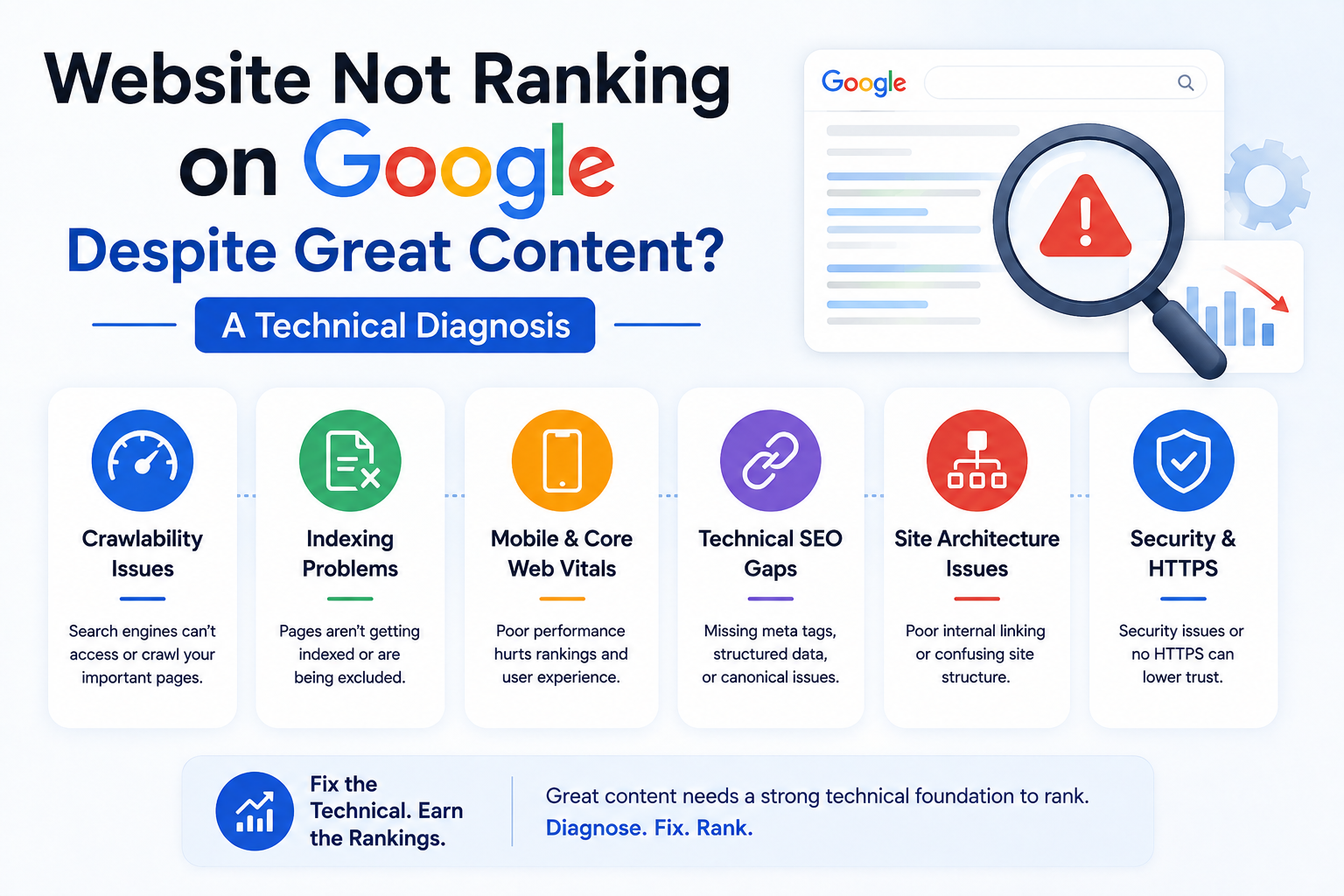
Strong content can fail to rank when Google cannot crawl, render, index, interpret, or trust the page strongly enough for the target query. This diagnostic guide shows how to separate technical faults, intent mismatch, weak site architecture, authority gaps, and performance problems before investing in another rewrite.
Website Not Ranking on Google Despite Great Content? A Technical Diagnostic Guide
You can publish a well-written article, explain the subject accurately, and still receive almost no organic traffic. When a website is not ranking on Google, the problem is often outside the body copy. Google must discover the URL, crawl it, render it, index the preferred version, understand the page, compare it with competing results, and decide that it deserves visibility for the query.
That sequence creates several failure points. A page can be useful but blocked from indexing, mapped to the wrong search intent, buried in the site architecture, or published on a domain with weaker evidence and authority than the current results.
This guide provides a structured diagnosis for founders, marketing directors, and technical teams. It separates content problems from technical, architectural, authority, and measurement problems so the business can fix the actual constraint instead of rewriting the same page repeatedly.
Table of Contents
1. Why great content alone does not guarantee rankings
2. Diagnose a website not ranking on Google
3. Check search intent and SERP fit
4. Find crawling, rendering, and indexation failures
5. Repair internal authority and site architecture
6. Assess evidence, links, and competitive strength
7. Use performance, measurement, and a 30-day recovery plan
1. Why Great Content Alone Does Not Guarantee Rankings
“Great content” is usually judged from the reader's perspective: accurate writing, clear explanations, good formatting, and useful examples. Search visibility requires all of that plus technical eligibility, query relevance, site-level context, and competitive strength.
Google describes Search as a process involving crawling, indexing, and serving results. A page may fail to appear because Google has not found it, cannot access it, chooses another canonical URL, cannot process important content, or does not consider it relevant enough for the query. Google for Developers
A practical diagnostic model is:
Search visibility =
technical eligibility
× indexation confidence
× intent match
× page quality
× internal authority
× external trust
× competitive strength
This is not Google's formula. It shows why excellent writing may have little effect when one factor is close to zero.
| Assumption | What actually happens | |
|---|---|---|
| “The article is long, so it should rank.” | Length is not proof of usefulness, originality, or intent match. | |
| “The keyword appears several times.” | Repetition cannot compensate for weak relevance, indexing, or authority. | |
| “The page is indexed, so SEO is fine.” | Indexation only makes the page eligible to be considered. | |
| “Our PageSpeed score is high.” | Performance is not a substitute for relevance. | |
| “Competitors have worse writing.” | They may have stronger links, evidence, topical depth, products, or brand demand. |
Separate the problem into five stages:
1. Discovery: Can Google find and crawl the URL?
2. Indexation: Does Google store the intended page?
3. Ranking: Is it competitive for the query?
4. Click-through: Does the result earn the click?
5. Conversion: Does the landing page create a qualified action?
A page can succeed at one stage and fail at the next. Diagnose the stage before editing the copy.
Struggling to Rank on Page 1 of Google?
Our engineering team builds SEO structures and schema wiring that drive rank #1 search positions.
2. Diagnose a Website Not Ranking on Google Before Rewriting Content
Start with evidence. Google Search Console shows how Google crawls, indexes, and serves a website, while the Performance report separates impressions, clicks, queries, pages, countries, devices, and search appearances. Google for Developers
Website not ranking on Google? Run this five-layer test
#### 1. Is the page discoverable?
Confirm that the URL appears in an XML sitemap, receives at least one crawlable internal link, and is not available only after a form, site search, or JavaScript interaction. Google uses links to discover pages and understand relevance; standard <a href> links and descriptive anchor text make that relationship clearer. Google for Developers
#### 2. Is the page technically indexable?
Check:
- HTTP status is 200.
- There is no noindex meta tag or X-Robots-Tag.
- Robots.txt does not prevent required crawling.
- The canonical points to the intended URL.
- The page is not a soft 404.
- Mobile and desktop expose equivalent primary content.
Google's technical requirements state that a page must be accessible, return a successful status, and contain indexable content to be eligible for Search. Blocking a URL in robots.txt does not reliably remove it from results; a crawlable noindex is the correct instruction when removal is required. Google for Developers
#### 3. Is Google indexing the intended version?
In URL Inspection, compare the user-declared canonical with Google's selected canonical, then review the rendered HTML, last crawl, discovery source, and page resources. A mismatch often points to duplication, weak canonical signals, inconsistent internal links, or redirects.
#### 4. Does the page receive impressions?
| Search Console pattern | Likely diagnosis | |
|---|---|---|
| Not indexed | Technical, canonical, quality, or discovery issue | |
| Indexed with zero impressions | Weak relevance, low demand, or limited authority | |
| Impressions rising but position is low | Google understands the topic, but the page is not competitive | |
| Position is reasonable but CTR is weak | Title, snippet, SERP feature, or intent issue | |
| Clicks fall while impressions stay stable | CTR or result-page composition changed | |
| Impressions and clicks fall | Ranking, indexation, demand, migration, or technical issue |
Google recommends comparing longer periods, similar date ranges, search types, affected pages, and market demand before assigning one cause to a traffic decline. Google for Developers
#### 5. Does the page create business value?
Connect organic landing pages to qualified leads, product actions, trial starts, booked calls, revenue, and pipeline value. Search Console explains the period before the click; GA4 and backend systems explain what happened afterwards.
3. Your Page May Be Good but Wrong for the Search Intent
Search intent is the task the searcher expects the result to complete. A page can be accurate while using the wrong format, depth, evidence, or commercial angle.
For the query “best CRM for a small agency,” a vendor service page may contain useful advice, but the results may favour comparisons with pricing, limitations, screenshots, and selection criteria. The writing is not necessarily weak; the page type does not satisfy the dominant task.
Classify the current result set
Review leading results and record:
- Page type: guide, service, product, tool, comparison, video, forum
- Searcher stage: learning, evaluating, buying, troubleshooting
- Required depth and freshness
- Geographic or industry context
- Common entities and follow-up questions
- Evidence format: examples, screenshots, data, expert review
- SERP features: snippets, video, local results, products, discussions
Do not copy ranking pages. Use them to define the minimum task, then improve it with stronger evidence, clearer decisions, a useful tool, or better structure.
| Query | Weak page choice | Better page choice | |
|---|---|---|---|
| “technical SEO audit service” | General educational blog | Service page with scope, process, proof, and CTA | |
| “how to fix CLS” | Agency homepage | Technical tutorial with diagnostics and code | |
| “Next.js agency London” | Global framework guide | Location-relevant service page | |
| “Shopify vs custom ecommerce” | Product landing page | Decision guide with cost, control, and migration risk | |
| “website redesign cost” | Portfolio page | Pricing framework with scope variables |
A strong page should also show why the organisation is qualified to explain the subject. Include first-hand process details, trade-offs, original diagrams, delivery examples, clear authorship, and primary references where accuracy matters.
Google's ranking systems include systems intended to surface helpful and original content rather than pages created mainly to attract search traffic. Google for Developers
4. Find Crawling, Rendering, and Indexation Failures
Technical SEO faults often hide behind a page that looks normal in a browser. Your browser may execute scripts, use cached data, or retain authentication that Googlebot does not share.
Crawlability checklist
- [ ] Priority URLs return 200 without authentication.
- [ ] Robots.txt allows essential pages and resources.
- [ ] Internal links use crawlable anchors.
- [ ] XML sitemaps contain canonical, indexable URLs only.
- [ ] Redirects point directly to the final destination.
- [ ] Error pages return accurate 404 or 410 responses.
- [ ] Production does not contain staging rules.
- [ ] Mobile and desktop primary content are equivalent.
Example:
User-agent: *
Disallow: /admin/
Disallow: /account/
Disallow: /internal-search/
Allow: /

Sitemap: https://www.example.com/sitemap.xml
Do not block a page in robots.txt when Google must crawl it to see noindex.
Canonical consistency
<link rel="canonical" href="https://www.example.com/guides/technical-seo-audit/">
The canonical should agree with internal links, sitemaps, redirects, hreflang, structured-data identifiers, hostname rules, and trailing-slash policy. Conflicting signals can cause Google to select another URL.
JavaScript rendering
Google processes JavaScript pages through crawling, rendering, and indexing, and rendering may occur after the initial crawl. Google for Developers
Compare the raw response with the rendered output. The rendered page should contain the primary heading, main copy, crawlable links, canonical, meta robots rules, structured data, and valid error states.
Google recommends server-side rendering, static rendering, or hydration rather than dynamic rendering as a long-term workaround. Google for Developers
| Rendering model | Suitable use | |
|---|---|---|
| SSG | Stable service pages and guides | |
| ISR | Large content libraries and catalogue pages | |
| SSR | Request-dependent public pages needing fresh HTML | |
| Client rendering | Authenticated tools not intended for indexation |
A common React fault is returning an empty HTML shell and requesting all meaningful content after load. Another is returning 200 for missing records, which can create soft 404s.
Structured data supports understanding
JSON-LD can clarify entities and support eligible search features, but it cannot repair irrelevant or inaccessible content.
{
  "@context": "https://schema.org",
  "@type": "Article",
  "headline": "Why Your Website Isn't Ranking on Google Despite Great Content",
  "author": {
    "@type": "Organization",
    "name": "ApexPulse Growth Team"
  },
  "publisher": {
    "@type": "Organization",
    "name": "ApexPulse"
  }
}
Generate markup from the same source as visible content and test the live URL. Google recommends validating with the Rich Results Test and URL Inspection. Google for Developers
5. Content Needs Internal Authority, Not Just Information
A strong article placed in isolation is difficult to evaluate. Search engines use links and site structure to understand which pages are important and how topics relate.
Weak structure:
Homepage
  ├── Services
  └── Blog
       └── 150 disconnected articles
Stronger structure:
SEO Services
  ├── Technical SEO
  ├── Ecommerce SEO
  └── Guides
       ├── Indexation Diagnosis
       ├── Core Web Vitals
       ├── Canonical URLs
       └── JavaScript SEO
For each commercial capability, create a core service page, supporting guides, comparison content, implementation tutorials, and case studies. Connect them with descriptive internal links.
Internal-link audit
Check each priority page for:
1. Crawlable links from relevant pages
2. Descriptive anchor text
3. Click depth from important hubs
4. Links to redirected or non-canonical URLs
5. Orphan status
6. Competing pages targeting the same intent
7. A relevant next step for the reader
Cannibalisation is an intent-management problem
Two pages mentioning the same keyword are not automatically in conflict. The issue arises when several URLs serve nearly the same intent and the site gives no clear primary page.
| Situation | Action | |
|---|---|---|
| Two articles answer the same question | Consolidate into the stronger URL | |
| Service page and guide target different stages | Keep both and link them clearly | |
| Location pages contain near-identical copy | Add real local value or consolidate | |
| Old article has links but stale detail | Refresh the established URL | |
| Thin tag pages compete with categories | Noindex, remove, or redesign | |
| Product variants have distinct demand | Consider separate URLs with a consistent canonical strategy |
Do not remove a page only because traffic is low. Check links, conversions, seasonal demand, and strategic value first.
6. Google May Trust the Competing Sites More
Content quality is comparative. Your article competes with sites that may have stronger links, recognised authors, proprietary data, better products, or more established demand.
Assess the evidence gap
Ask whether the page includes:
- Original observations or data
- Real implementation detail
- Screenshots, benchmarks, templates, or examples
- Qualified and accountable authorship
- Clear company, policy, and contact information
- Primary references for technical claims
- Trade-offs instead of universal claims
“We improved speed” is weak evidence. A stronger account identifies the bottleneck, affected template, measurement method, change made, and validation process. Never invent client metrics.
Backlinks help discovery and can signal that other sites consider a page worth referencing, but relevance matters more than raw volume. Useful link-earning assets include original research, open-source tools, detailed case studies, technical templates, calculators, and public documentation.
Compare the full search product:
| Dimension | Question | |
|---|---|---|
| Intent | Does their format match the task better? | |
| Coverage | Do they answer important follow-up questions? | |
| Evidence | Do they show original work? | |
| Authority | Are authors and organisations credible? | |
| Links | Is the page referenced by relevant sites? | |
| UX | Is the answer easy to use? | |
| Freshness | Does the topic require recent information? | |
| Product depth | Does the business provide supporting tools or services? |
Identify the advantage that makes a competing result useful, then create a stronger experience rather than copying its outline.
7. Performance, Measurement, and a 30-Day Recovery Plan
Performance cannot replace relevance, but slow and unstable pages can weaken usability and conversion.
The current Core Web Vitals are LCP, INP, and CLS. Google's published “good” thresholds are LCP at 2.5 seconds or less, INP at 200 milliseconds or less, and CLS at 0.1 or less, assessed at the 75th percentile of visits. web.dev
| Metric | What it measures | Common cause | |
|---|---|---|---|
| LCP | Main-content loading | Slow server, late hero image, blocking CSS | |
| INP | Interaction responsiveness | Long JavaScript tasks, heavy third parties | |
| CLS | Visual stability | Missing dimensions, injected banners, late widgets | |
| TTFB | Initial server response | Uncached HTML, slow database, distant origin |
Use TTFB below 800 ms as an internal target for key public pages where the architecture and user geography make it reasonable, not as a universal Google threshold.
Performance checklist
- Serve primary content in initial or reliably rendered HTML.
- Cache public pages at the CDN or edge.
- Prioritise the real LCP resource.
- Do not lazy-load the main hero image.
- Reserve dimensions for media and banners.
- Reduce unused JavaScript and third-party scripts.
- Split interactive features by route or component.
- Measure real users by template, device, and country.
- Add performance budgets to deployment checks.
30-day recovery plan
Days 1–5: Establish the truth
- Export 16 months of Search Console data.
- Inspect the target URL and template peers.
- Check canonical selection, rendered HTML, links, sitemap, and conversions.
- Record migrations, releases, and content changes.
Days 6–10: Restore technical eligibility
- Remove accidental noindex.
- Correct canonical conflicts.
- Repair soft 404s, redirect chains, and server errors.
- Restore crawlable links and clean sitemaps.
- Confirm mobile content parity.
Days 11–17: Correct intent and architecture
- Decide whether the URL should be a guide, service page, comparison, tool, or category.
- Consolidate overlapping pages.
- Add links from relevant hubs.
- Improve examples, evidence, and decision support.
Days 18–24: Improve competitiveness
- Add original diagrams, templates, screenshots, or approved data.
- Strengthen author and company information.
- Replace unsupported claims.
- Plan distribution through relevant partners, publications, and communities.
Days 25–30: Validate and monitor
- Request recrawling for a small number of changed URLs.
- Submit accurate sitemaps for larger changes.
- Monitor impressions before clicks.
- Track query mix, CTR, conversions, and technical errors.
- Avoid changing the page every few days before enough evidence accumulates.
Google notes that recrawl requests do not guarantee immediate inclusion; sitemaps are the appropriate route for many URLs. Google for Developers
Prioritisation matrix
| Finding | Priority | Reason | |
|---|---|---|---|
| Page blocked by noindex | Critical | Removes eligibility | |
| Canonical points elsewhere | Critical | Sends consolidation signals to another URL | |
| Wrong page type for intent | High | Fails the searcher's task | |
| Orphaned priority page | High | Weak discovery and internal authority | |
| Main content absent after rendering | High | Google may not process the intended page | |
| Poor mobile INP | Medium to high | Affects usability and conversion | |
| Missing schema | Low to medium | Limits supported enhancements | |
| Meta description rewrite | Low unless CTR supports it | Google may generate another snippet |
Measure progress in this order: indexation, impressions, relevant positions, CTR, qualified sessions, leads or revenue, and page performance.
Rankings are dynamic, and Google does not guarantee that a particular change will produce a visible improvement. Use controlled releases and evidence rather than fixed recovery promises. Google for Developers
Frequently Asked Questions
Why is my website not ranking on Google even though the content is good?
The page may be blocked, canonicalised elsewhere, weakly linked, mismatched to search intent, rendered incorrectly, or less competitive than the current results. Check URL Inspection, indexability, impressions, intent, internal links, and competing pages before rewriting.
How long does it take for good content to rank?
There is no fixed period. Discovery, crawling, indexing, competition, site authority, and demand affect timing. Monitor impressions and relevant query coverage rather than relying on a guaranteed date.
Can a page be indexed but not rank?
Yes. Indexation makes the page eligible to appear. Google may still consider other pages more relevant, useful, authoritative, or suitable for the query.
Does publishing more content improve rankings?
Only when new pages serve distinct purposes and strengthen the site's topic architecture. Overlapping or thin pages can create duplication and maintenance problems.
Are backlinks required to rank?
Requirements vary by query. Specific, low-competition pages may rank with few links, while competitive commercial searches often favour stronger external references and brand demand.
Do Core Web Vitals fix poor rankings?
Not by themselves. Performance cannot repair blocked indexing, wrong intent, weak content, or poor internal architecture. Improve it for users while fixing the main constraint.
Should I change the URL when updating content?
Usually keep an established URL. When a change is necessary, use a direct server-side permanent redirect and update internal links, canonicals, and sitemaps.
Conclusion: Fix the Constraint, Not Just the Copy
When a website is not ranking on Google, rewriting the article is only one possible remedy. The real constraint may sit in crawling, rendering, canonicalisation, search intent, internal links, architecture, evidence, external authority, performance, or measurement.
Use a layered diagnosis. Confirm technical eligibility, verify that Google indexes the intended version, study impressions and query patterns, compare the page type with the result set, and strengthen internal and external signals. Improve the copy when evidence shows a genuine content gap.
ApexPulse provides technical SEO, web engineering, and conversion analysis for companies that need one diagnosis across marketing and software systems. A free strategy session can identify the highest-impact constraint and determine whether the page needs optimisation, consolidation, or a broader site-level correction.
Get a Free Organic SEO & Keyword Audit
Discover high-intent keyword gaps, indexation errors, and schema opportunities to capture top 3 Google rankings.
“0.7s Load Speed | 99/100 Core Web Vitals | Reliable Civic News Delivery”