Why Old Websites Lose Search Traffic & How to Fix Them
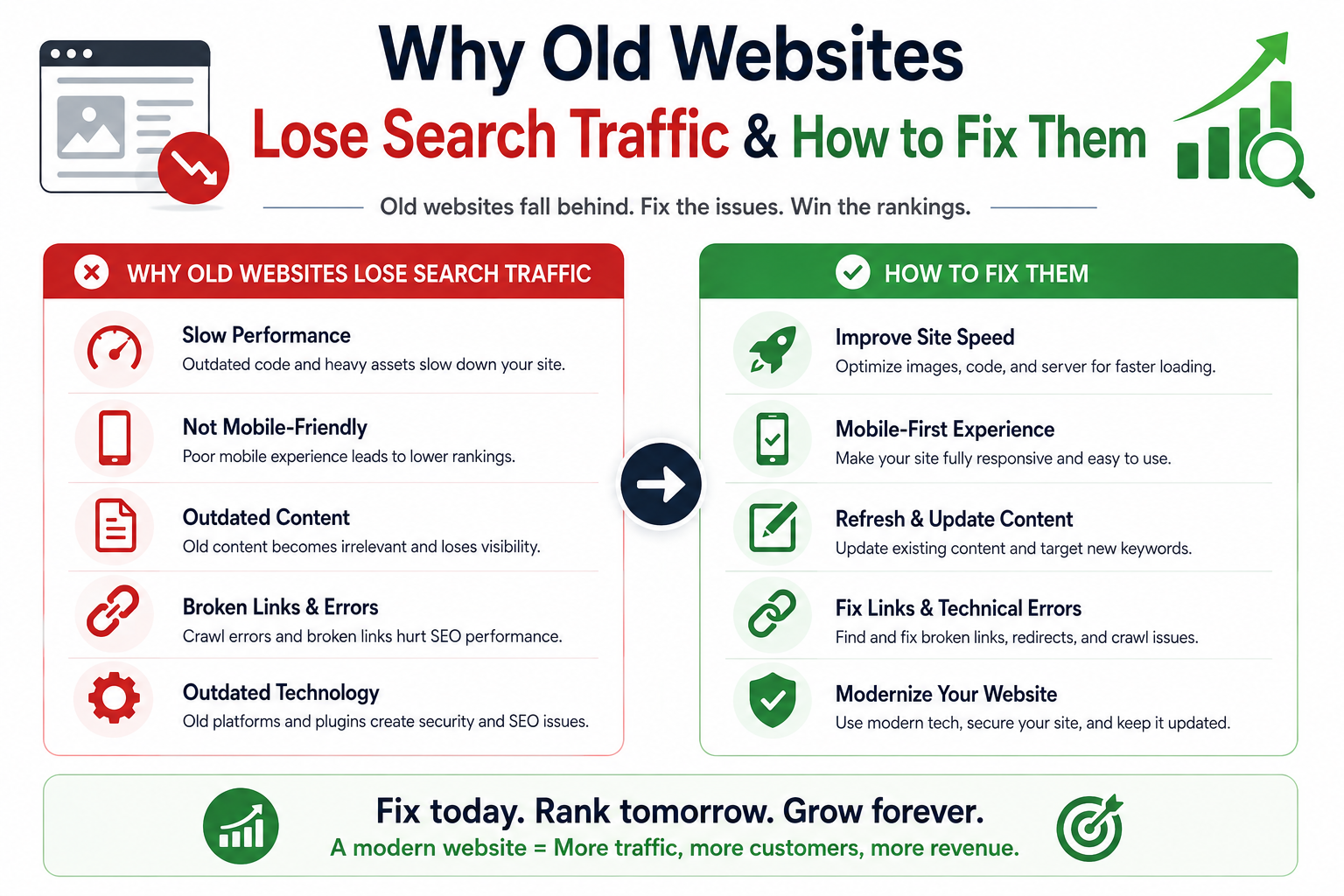
Old websites usually lose organic traffic through accumulated technical, content, and architecture debt rather than one isolated fault. This guide explains how to diagnose the decline, repair performance and indexation, and modernise the website without sacrificing established SEO equity.
Why Old Websites Lose Search Traffic & How to Fix Them
An ageing website rarely loses organic visibility because of one dramatic failure. The decline usually comes from accumulated technical debt: slower templates, obsolete JavaScript, duplicate URLs, broken redirects, stale content, and tracking gaps. Understanding why old websites lose search traffic requires separating ranking changes from crawling, rendering, indexation, performance, and demand shifts. The fix is a controlled recovery programme that protects proven URLs, improves page experience, restores content quality, and measures each release against search and revenue outcomes.
Table of Contents
1. Diagnose the traffic loss before changing the website
2. Repair performance and Core Web Vitals
3. Remove crawl, indexation, and canonical debt
4. Rebuild content quality and internal relevance
5. Redesign without destroying SEO equity
6. Run a measurable 90-day recovery plan
7. Protect security, accessibility, analytics, and conversion
1. Why Old Websites Lose Search Traffic: Diagnose Before You Redesign
A Google ranking drop can come from several different systems. Treating every decline as a content problem leads to wasted work. Treating every decline as a development problem can be worse because a rushed rebuild may remove URLs, internal links, metadata, and structured data that were still generating traffic.
Google recommends investigating organic traffic drops by comparing longer date ranges, separating search types, reviewing affected pages, and distinguishing technical issues from algorithm changes, seasonality, site moves, security problems, and changing demand. Search Console provides the search-side evidence, while GA4 and server logs show what happened after the click and how crawlers reached the site. Google for Developers
How to confirm why old websites lose search traffic
Start with four questions:
1. Did impressions fall, or only clicks? Stable impressions with lower clicks point toward CTR, snippet, SERP, or position changes. Falling impressions across a page group point toward indexation, relevance, or ranking loss.
2. Did the decline affect the whole site or one template? Site-wide losses suggest infrastructure, access, security, or broad quality issues. Directory-level losses suggest template, canonical, or internal-link changes.
3. Did indexed URLs change? Compare Search Console indexation, submitted sitemap URLs, canonical selections, and server responses.
4. Did demand change? Compare year-on-year query demand and seasonality before blaming the website alone.
Use this diagnostic table before approving a redesign:
| Signal | Likely cause | Evidence to inspect | First action | |
|---|---|---|---|---|
| Impressions and indexed pages fall together | Crawl or indexation issue | Search Console, sitemap, robots.txt, server logs | Restore access and valid index signals | |
| Impressions stable, clicks fall | SERP or snippet issue | Query CTR, title changes, rich-result loss | Improve titles, descriptions, schema, intent match | |
| Mobile traffic falls more than desktop | Performance or mobile UX | CrUX, RUM, device reports | Fix mobile LCP, INP, layout, navigation | |
| One directory loses rankings | Template or internal-link issue | Release history, canonicals, links | Roll back or repair the affected template | |
| Traffic falls after URL changes | Migration issue | Redirect map, 404s, canonical targets | Correct redirects and sitemap | |
| Rankings stable, conversions fall | CRO, tracking, or offer issue | GA4, checkout funnel, consent mode | Repair measurement and conversion flow |
A technical SEO audit should produce a cause map, not an unprioritised checklist. Rank issues by revenue exposure, affected URL count, implementation risk, and diagnostic confidence.
Is Your Slow Website Burning Potential Leads?
We overhaul legacy websites to achieve guaranteed 100/100 Core Web Vitals and sub-second load times.
2. Ageing Architecture Weakens Core Web Vitals and User Behaviour
Old websites often carry years of accumulated scripts, plugins, tag-manager containers, unused CSS, oversized images, and database queries added without a performance budget. Each addition may appear harmless in isolation. Together they increase Time to First Byte, delay the largest visual element, block the main thread, and create unstable layouts.
Google's current Core Web Vitals are LCP, INP, and CLS. The published “good” thresholds are LCP at 2.5 seconds or less, INP at 200 milliseconds or less, and CLS at 0.1 or less, evaluated at the 75th percentile of page visits. web.dev
| Metric | Good threshold | What usually breaks on old sites | Typical engineering response | |
|---|---|---|---|---|
| LCP | ≤ 2.5 s | Slow server response, hero image discovery delay, render-blocking CSS | CDN, page cache, image preload, critical CSS | |
| INP | ≤ 200 ms | Large JavaScript bundles, long tasks, heavy third-party scripts | Code splitting, defer non-critical scripts, reduce main-thread work | |
| CLS | ≤ 0.1 | Images without dimensions, injected banners, font swaps, late widgets | Reserve space, define aspect ratios, stabilise component height | |
| TTFB | Agency target: < 800 ms for key pages | Uncached HTML, slow database queries, distant origin | Edge cache, Redis, query optimisation, regional hosting |
The TTFB value above is an operational target, not a Google ranking threshold. Set the final target from your users' geographies, application type, cacheability, and origin architecture.
A practical performance architecture
User
  |
  v
CDN / Edge Network
  |-- cached HTML for public pages
  |-- compressed AVIF/WebP images
  |-- HTTP/2 or HTTP/3 delivery
  v
Application Layer
  |-- SSR for dynamic, indexable pages
  |-- SSG for stable marketing pages
  |-- ISR for frequently updated catalogue pages
  v
Data Layer
  |-- Redis for expensive repeated reads
  |-- PostgreSQL query indexes
  |-- connection pooling
  |-- background jobs for non-urgent work
For a Next.js or React website, a framework upgrade alone will not fix performance. Match the rendering model to the page:
- SSG suits stable service pages, editorial content, and campaign landing pages.
- ISR suits product or location pages that update often but do not require request-time rendering.
- SSR suits personalised or rapidly changing pages where fresh HTML is required.
- Edge Rendering can reduce latency for globally distributed users, but only when data access and runtime constraints are designed for it.
- Client-side rendering should not be the only route to essential headings, body copy, canonical tags, or product details.
Google can process JavaScript, but crawling, rendering, and indexing are separate stages. Google also recommends server-side rendering, static rendering, or hydration rather than relying on dynamic rendering as a long-term workaround. Google for Developers
Performance implementation checklist
- Compress and size images correctly; use AVIF or WebP where the asset workflow supports them.
- Preload the true LCP image and never lazy-load the primary hero.
- Lazy-load below-the-fold media and expensive third-party widgets.
- Extract critical CSS, remove unused selectors, and split large interactive features.
- Inspect JavaScript bundles by route and defer non-critical code.
- Replace client-side API waterfalls with server data fetching where appropriate.
- Cache public HTML at the CDN and repeated database reads in Redis.
- Add performance budgets to continuous integration.
Do not promise a fixed conversion gain from a PageSpeed score. web.dev case studies report a 43% bounce-rate improvement for The Economic Times and a 42% mobile-revenue increase for Swappie, but those outcomes are examples, not forecasts. web.dev
3. Crawl, Indexation, and Canonical Debt Silently Reduce Visibility
An old site may still render correctly for users while sending conflicting instructions to search engines. Common problems include parameter URLs, HTTP and HTTPS duplicates, mixed trailing-slash rules, outdated XML sitemaps, canonical tags pointing to redirected pages, blocked assets, internal links to non-canonical URLs, and staging rules accidentally deployed to production.
Google treats canonical annotations as signals rather than commands and recommends linking internally to the canonical URL. Canonical information should be clear in the HTML source, especially on JavaScript applications. Google for Developers
Crawl and indexation checks
1. Crawl production as Googlebot smartphone and as a normal browser.
2. Export URLs from the CMS, sitemap, analytics, backlinks, and server logs.
3. Compare status codes, canonicals, robots directives, headings, and rendered content.
4. Find orphan pages, soft 404s, redirect chains, loops, and error pages returning 200.
5. Compare submitted sitemap URLs with Google-selected canonicals.
6. Review parameters, faceted navigation, pagination, and internal search.
7. Use logs to identify crawler errors and repetitive low-value URL combinations.
Crawl budget is mainly a concern for very large or frequently changing sites. Google states that most sites do not need advanced crawl-budget work; keeping sitemaps accurate and monitoring indexation is usually sufficient unless scale and update frequency justify deeper controls. Google for Developers
Example robots.txt
User-agent: *
Disallow: /admin/
Disallow: /account/
Disallow: /internal-search/
Allow: /

Sitemap: https://www.example.com/sitemap.xml
Robots.txt manages crawling, not guaranteed removal from the index. A URL blocked by robots.txt can still appear as a URL-only result if Google discovers it elsewhere. For pages that must not be indexed, allow crawling and return a noindex directive until Google processes it. Google for Developers
Example sitemap.xml entry
<?xml version="1.0" encoding="UTF-8"?>
<urlset xmlns="http://www.sitemaps.org/schemas/sitemap/0.9">
  <url>
    <loc>https://www.example.com/services/technical-seo-audit/</loc>
    <lastmod>2026-07-20</lastmod>
  </url>
</urlset>
Only include canonical, indexable, 200-status URLs. A submitted sitemap is a discovery hint, not a guarantee of crawling or indexation. Google for Developers
For e-commerce pagination, preserve crawlable links between result pages. Do not hide the catalogue behind a user-triggered “Load more” button. Index filter pages only when they have search demand, unique value, stable content, and sufficient internal links.
4. Content and Template Decay Erode Ranking Strength
Technical health cannot compensate for pages that no longer answer the query well. Older websites often contain service pages written around broad claims, product categories with little useful context, duplicate location pages, abandoned blog posts, and inconsistent author or company information.
Content decay is not simply age. An older guide can perform if it remains accurate, useful, linked, and maintained. A recent page can fail if it lacks evidence or targets the wrong intent.
Build a content inventory by business value
Classify each indexable page into one of five actions:
| Action | When to use it | SEO treatment | |
|---|---|---|---|
| Keep | Strong traffic, links, conversions, current information | Preserve URL and improve carefully | |
| Refresh | Rankings slipped, intent still valid, information outdated | Update evidence, examples, structure, links | |
| Consolidate | Several pages compete for the same intent | Merge into the strongest URL and redirect others | |
| Reposition | Page targets the wrong stage or audience | Rewrite title, structure, offer, and internal links | |
| Remove | No demand, no links, no conversions, no strategic value | Return 404/410 or redirect only to a true equivalent |
Avoid changing high-performing URLs merely to make them shorter. A clean new slug is not worth losing history, links, and established relevance unless the current URL creates a genuine technical or organisational problem.
Strengthen entity and expertise signals
A senior-quality page should make it easy to identify:
- who wrote or reviewed the content;
- what practical experience supports the advice;
- when the page was last materially updated;
- which product, service, standard, or market the page covers;
- where claims came from;
- how the reader can verify critical recommendations.
Add relevant internal links in the natural decision path:
- SEO Services from diagnosis and indexation sections;
- Performance Optimization from Core Web Vitals guidance;
- Web Development from architecture and rendering sections;
- Custom Software from API, database, and integration examples;
- Conversion Optimization from funnel and analytics sections;
- Case Studies near documented outcomes;
- Contact in the final strategy-session CTA.
Example Article JSON-LD
{
  "@context": "https://schema.org",
  "@type": "Article",
  "headline": "Why Old Websites Lose Search Traffic & How to Fix Them",
  "author": {
    "@type": "Organization",
    "name": "ApexPulse Growth Team"
  },
  "publisher": {
    "@type": "Organization",
    "name": "ApexPulse"
  },
  "datePublished": "2026-07-27",
  "dateModified": "2026-07-27",
  "mainEntityOfPage": {
    "@type": "WebPage",
    "@id": "https://www.example.com/blog/why-old-websites-lose-search-traffic"
  }
}
Structured data helps search engines understand page entities and may support eligible search features, but it does not replace visible content. Google recommends JSON-LD, requires markup to match content users can see, and advises validating implementation with the Rich Results Test and URL Inspection. Google for Developers
5. Website Redesign SEO: How to Modernise Without a Second Ranking Drop
A redesign changes more than visual styling. It can alter HTML hierarchy, links, URLs, rendering, content length, metadata, structured data, navigation depth, and server behaviour. That makes a redesign a migration, even when the domain stays the same.
Google's site-move guidance recommends preparing a complete URL map, implementing redirects, updating links and sitemaps, ensuring adequate server capacity, and monitoring Search Console after launch. Google for Developers
Decide between refactoring and rebuilding
| Condition | Refactor current platform | Rebuild platform | |
|---|---|---|---|
| URLs and templates are structurally sound | Strong fit | Possible | |
| CMS blocks performance work | Limited | Strong fit | |
| Security patches are unavailable | Poor fit | Strong fit | |
| Application has heavy business logic | Often safer in phases | Requires detailed parity plan | |
| Organic traffic depends on thousands of legacy URLs | Lower migration risk | Higher migration risk | |
| Team cannot maintain current stack | Temporary fix | Strong fit | |
| Database model prevents new products or markets | Limited | Strong fit |
Choose the smallest architectural change that removes the business constraint without adding unnecessary migration risk.
Migration checklist
Before development
- Export known URLs from the CMS, sitemaps, Search Console, analytics, backlink tools, and logs.
- Record metadata, canonicals, robots directives, schema, headings, internal links, status codes, traffic, leads, and revenue.
- Keep proven URLs where possible and map one-to-one redirects only where URLs must change.
- Define parity requirements for content, structured data, analytics, consent, forms, webhooks, and Meta CAPI.
During development
- Keep staging behind authentication and noindex; do not rely on robots.txt alone.
- Render essential SEO content in initial HTML through SSR, SSG, or ISR.
- Preserve crawlable <a href> navigation and server-rendered canonicals.
- Validate security headers, CSP, forms, APIs, and authentication.
- Automate checks for links, metadata, schema, accessibility, and performance.
At launch
- Deploy redirects at the server or edge layer.
- Remove staging noindex rules from production.
- Submit clean XML sitemaps.
- Verify robots.txt, canonical tags, status codes, and analytics.
- Test high-value URLs with URL Inspection.
- Monitor 404s, 5xx errors, crawl activity, impressions, and conversions daily during the first release period.
Use server-side 301 or 308 redirects for permanent URL changes. Google advises server-side redirects when possible and warns that JavaScript redirects depend on successful rendering. Google for Developers
Redirect to the closest equivalent page, not the homepage. Sending every removed URL to one generic destination can be treated like a soft 404.
6. A 90-Day Technical SEO and Performance Recovery Plan
Release recovery work in controlled stages to isolate cause and effect, protect stable traffic, and prevent new faults.
Days 1–30: Establish evidence and stop active loss
- Verify Search Console, GA4, consent mode, server logs, and real-user monitoring.
- Compare 16 months of search performance and reconcile URLs across the CMS, sitemap, index, and logs.
- Fix accidental noindex, robots blocks, canonical errors, 5xx responses, redirect loops, and broken links.
- Patch critical security issues.
- Measure LCP, INP, CLS, TTFB, conversion rate, and revenue by template and device.
Days 31–60: Repair templates and architecture
- Optimise server response, caching, images, fonts, critical CSS, and layout stability.
- Reduce JavaScript and third-party execution.
- Consolidate duplicate content and parameter URLs.
- Strengthen internal links to commercial pages.
- Correct eligible schema and update pages with the strongest mix of impressions, ranking opportunity, and conversion value.
Days 61–90: Improve commercial performance and prevent regression
- Test navigation, CTA clarity, form friction, trust evidence, and mobile checkout.
- Add server-side tagging where browser restrictions or consent architecture create material gaps.
- Validate Meta CAPI event deduplication when channels share conversion events.
- Add Lighthouse CI, schema, link, accessibility, and bundle checks to the release pipeline.
- Combine Search Console, GA4, RUM, and revenue data in one reporting view.
Measurement framework
| KPI | Source | Segment | Review frequency | Recovery signal | |
|---|---|---|---|---|---|
| Valid indexed pages | Search Console | Sitemap and template | Weekly | Valuable canonical pages return to index | |
| Impressions | Search Console | Query, page, country, device | Weekly | Visibility stabilises, then grows | |
| LCP, INP, CLS | CrUX and RUM | Template and device | Weekly | 75th percentile moves into “good” range | |
| TTFB | RUM and server monitoring | Region and route | Daily | Tail latency and cache misses decline | |
| Organic conversions | GA4 and backend | Landing page | Weekly | Qualified actions recover | |
| Revenue or pipeline | CRM or commerce backend | Channel and page group | Monthly | Business output rises with traffic quality | |
| Googlebot responses | Server logs | Status and directory | Weekly | Fewer errors and wasted requests |
Do not set a universal promise such as “traffic will recover in 30 days.” Crawling and indexation timing varies, rankings are not fixed, and Google does not guarantee that a particular change will create a visible ranking improvement. Google for Developers
Use a forecast with ranges and assumptions instead:
Expected impact = affected organic sessions
                x current conversion rate
                x estimated recoverable visibility range
                x average conversion value
Label the visibility range as an assumption and update it as real post-release data arrives.
7. Security, Accessibility, and CRO Are Part of the Recovery
An SEO-only upgrade can still fail commercially when forms break, checkout stalls, analytics double-counts events, or users cannot operate the interface.
Security controls
For a modern Next.js, React, TypeScript, Supabase, PostgreSQL, or Prisma stack:
- Set CSP, HSTS, X-Content-Type-Options, referrer policy, and frame restrictions.
- Prevent XSS with safe rendering, sanitisation, and controlled script sources.
- Prevent SQL injection with parameterised queries and ORM safeguards.
- Use secure cookies, appropriate JWT expiry, and session invalidation.
- Test Supabase row-level security with unauthorised roles.
- Rate-limit authentication, forms, and public APIs.
- Verify webhook signatures, make handlers idempotent, and keep secrets outside the repository.
Security incidents can cause traffic loss through downtime, hacked content, spam pages, or browser warnings. Google includes security and spam issues among the causes to investigate when search traffic drops. Google for Developers
Accessibility and conversion controls
Use WCAG-based testing for keyboard navigation, focus states, labels, contrast, errors, semantic headings, and screen-reader behaviour. These fixes also support usability and structural clarity.
Review conversion flows by landing-page intent:
- informational page → relevant case study or diagnostic guide;
- commercial service page → proof, scope, process, and consultation;
- product or pricing page → clear comparison and low-friction action;
- local page → service area, credentials, reviews, map context, and contact options.
Measure form, checkout, booked-call, and qualified-lead events. Tie analytics to backend outcomes so browser-side tracking is not the only source of truth.
Frequently Asked Questions
Can an old website rank well without a complete redesign?
Yes. Age alone does not prevent rankings. A technically maintainable website can recover through focused work on crawlability, templates, content, internal links, Core Web Vitals, and conversion paths. Rebuild only when the current platform blocks essential improvements or creates unacceptable security and maintenance risk.
How do I know whether a Google ranking drop is technical or algorithmic?
Compare Search Console impressions, positions, affected directories, indexation, release dates, server errors, and query demand. A sudden site-wide drop after a deployment suggests a technical cause; a broader decline across content groups without technical faults may require content and competitive analysis. More than one cause can occur at the same time.
Will improving Core Web Vitals restore lost rankings?
Not by itself in every case. Core Web Vitals are one part of page experience. Performance work also reduces user friction, but lost traffic caused by weak relevance, duplicate URLs, poor internal links, or migration errors requires separate fixes.
Should every outdated page be redirected?
No. Redirect only when there is a close replacement that satisfies the same intent. A page with no equivalent can return 404 or 410. Blanket homepage redirects create poor user experience and may be treated as soft 404s.
How long does SEO recovery take after fixing an old website?
Technical fixes can be discovered quickly, but crawling, reprocessing, ranking, and user-demand changes occur on different schedules. Track progress by page group and release date rather than waiting for one site-wide recovery date.
Conclusion: Fix Why Old Websites Lose Search Traffic at the System Level
The practical answer to why old websites lose search traffic is accumulated mismatch: the site becomes slower, harder to crawl, less clear to index, less relevant, and harder to convert on. The remedy is not a cosmetic redesign. It is a measured programme covering diagnosis, Core Web Vitals, rendering, canonical signals, content quality, migration controls, analytics, security, accessibility, and CRO.
ApexPulse can review the website as both a search system and a revenue system. A free technical strategy session is designed to identify the highest-risk faults, decide whether refactoring or rebuilding is justified, and define a phased recovery plan without forcing a platform change before the evidence supports it.
Get a Free Core Web Vitals & Speed Audit
Uncover render-blocking scripts, uncompressed images, and plugin bloat slowing down your site speed.
“0.7s Load Speed | 99/100 Core Web Vitals | Reliable Civic News Delivery”